Built into every project

One project.
Two galleries.
Every memory.

While you deliver the edited film through a branded pro gallery, Live Moments collects every guest's iPhone photos into the same project. One dashboard. One archive. Your logo on every screen the couple and their guests will look at this year.

Live Moments is included on every plan. Guest video uploads are a Studio plan feature.

The couple's favourite surprise.

Brides plan a wedding for a year and still spend the morning after texting guests on three messengers for photos. You hand them a finished archive on Monday. Guess who they tell their friends about.

01

No more group-chat chaos.

Skip the Day-After WhatsApp / Telegram / Viber “please send me your photos” scramble across three group chats. Every guest's phone has already uploaded into your project by the time the dress is at the cleaners.

02

A wow they didn't ask for.

Most couples don't know guest-upload services exist — and the ones that do don't want to research another tool. You hand it over as part of your package. Looks like magic, costs you a single checkbox in the dashboard.

03

Word-of-mouth, baked in.

Brides recommend videographers to other brides — that's how this industry works. Your logo lives on every screen guests open and every print on the tables all night long. Word-of-mouth marketing you cannot buy.

No setup, no learning curve. Toggle Live Moments on, print one PDF, place it on the welcome table — the rest happens by itself.

Two surfaces, one project.

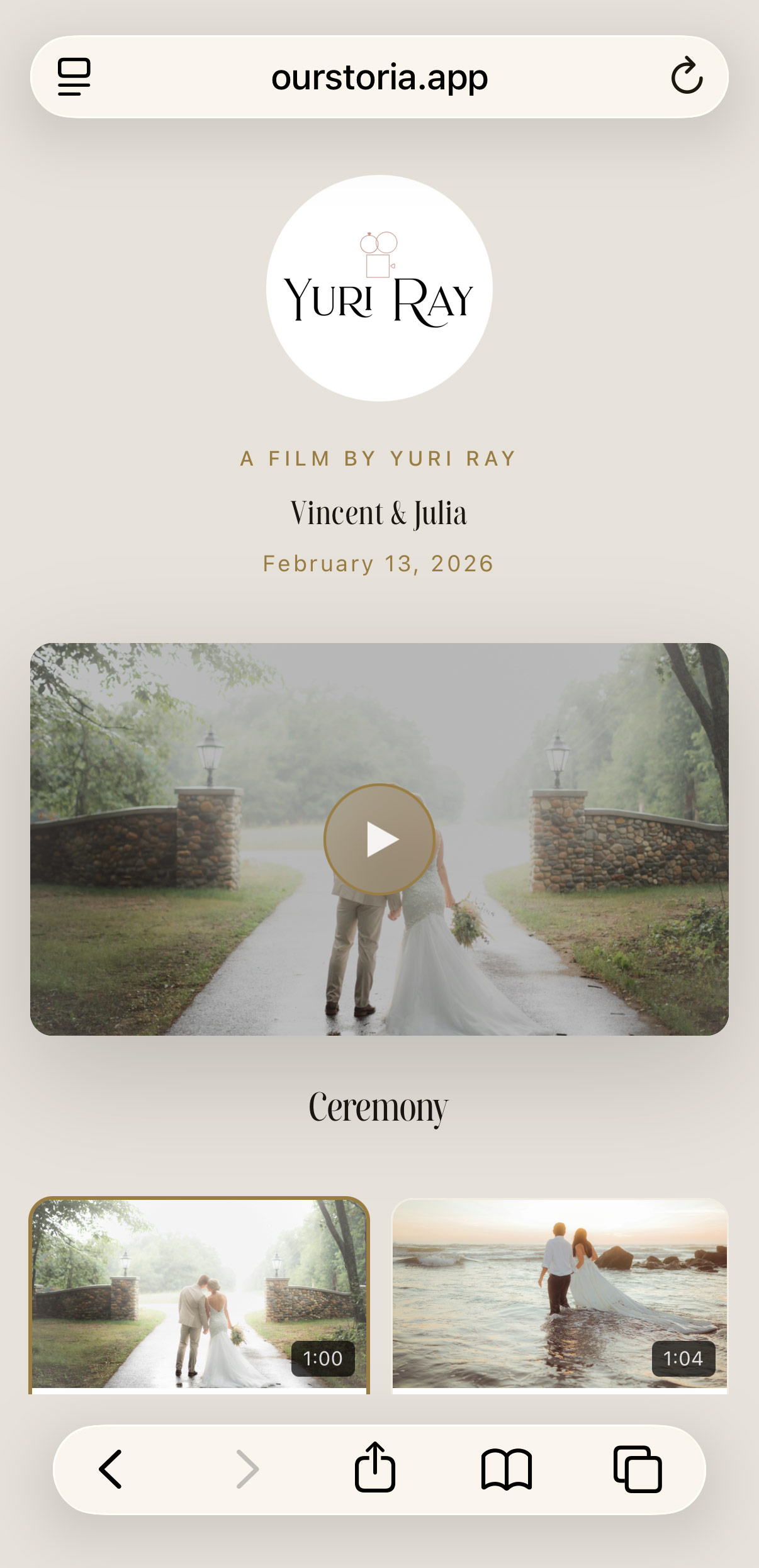
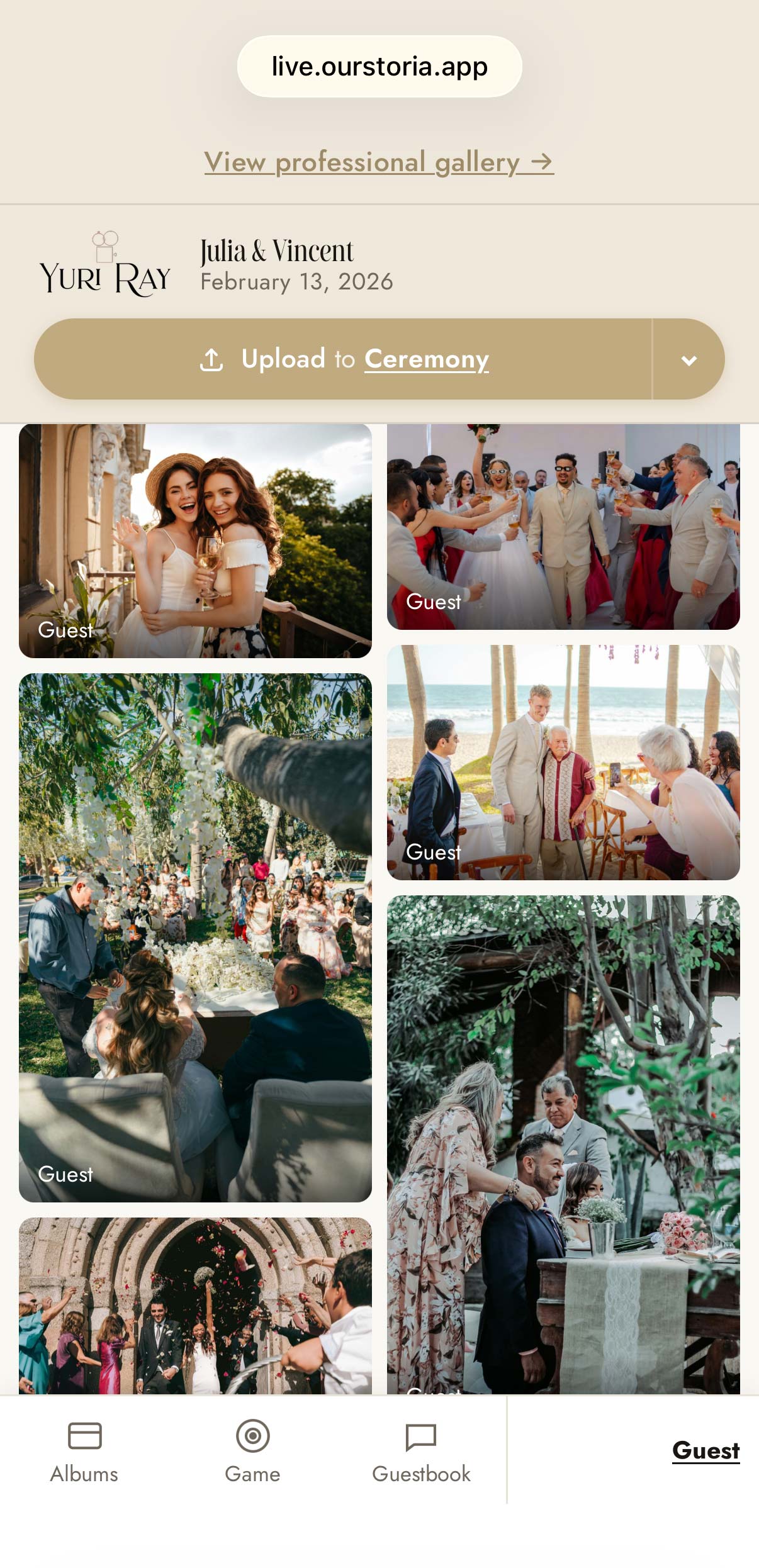
Every OurStoria project gets a pro gallery for the edited film and a Live Moments page for guest uploads. Manage both from the same dashboard, archive them together.

Pro Gallery

Your edited wedding film, delivered to the couple in 4K through a beautiful branded gallery.

Live Moments

Where every guest's iPhone goes — a branded QR-code page that opens straight to your name.

You are here

One Archive

Film and guest uploads in the same project, sorted into folders, packaged into a single ZIP.

Three steps. Zero chasing.

No app downloads, no chasing guests on WhatsApp the next morning. The whole wedding's informal photography lands organised and ready to edit.

01

Enable & customise

Toggle Live Moments on, paste the couple's names, pick fonts, colours, and (optionally) drop in your logo. Set a custom URL like live.ourstoria.app/hannah-and-vincent.

02

Print & share

Download the QR as a PNG, vector SVG, or any of 18 ready-to-print PDFs — A4 posters, 5×7 cards, vinyl-record favours, photo-hunt sheets, you name it.

03

Collect & deliver

Approve uploads as they arrive (or let them publish instantly). When the window closes, we package the lot into a single ZIP and email you when it's ready.

No app to install. Works like one.

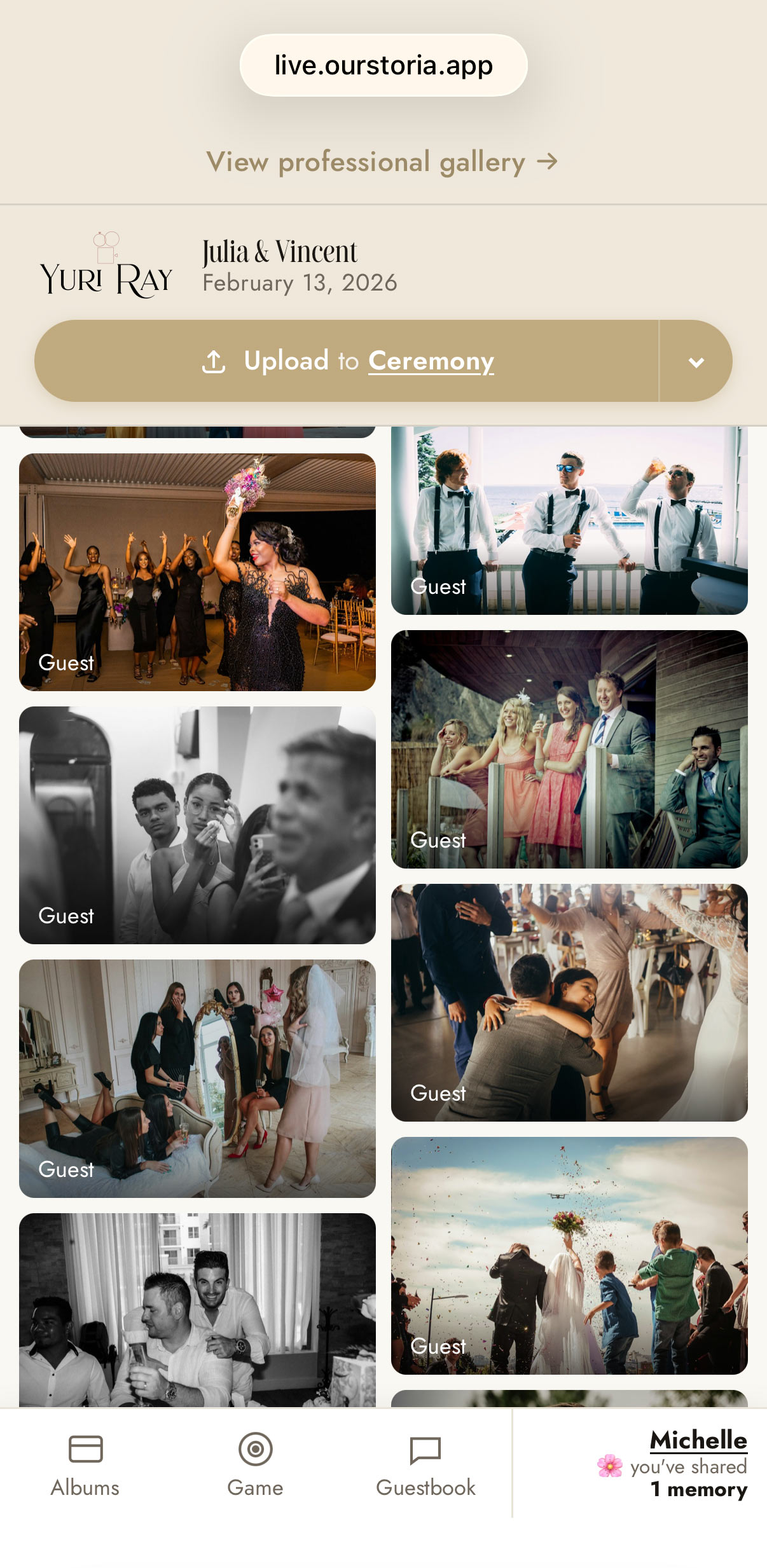
The guest page is a full mobile experience — sticky chrome, a bottom tab bar, a name modal, and one-tap navigation back to the couple's professional film.

Live Moments mobile guest upload experience — no app needed
  • Sticky “View professional gallery →” ribbon. Visible the entire scroll — guests bounce between the candid feed and your edited film all night.
  • Bottom tab bar. Photos, Albums, Game, Guestbook, and a personal Identity tab — auto-hides on scroll-down, reappears on scroll-up.
  • Name gate modal. First-visit welcome. Required mode forces a name; optional mode lets guests Continue as guest.
  • Couple-themed header. Your logo, the couple's font, the couple's colours — every pixel under your brand.

Every pixel in your colours.

The guest page and every printable share the same design tokens. Customise once, print and publish under one consistent brand.

34 display fonts

The same curated typeface library as the Pro Gallery — pick the one that matches the couple's invitations.

5 colour tokens

Page background, header band, couple name, date, accent — five hex values cover the whole guest page.

Logo on guest page

Independent toggle — show your logo above the couple's names every time a guest opens the upload screen.

Logo on every PDF

Separate toggle for the printables — your brand on every poster, card, and tent that lands on a wedding table.

Custom URL

Use a vanity slug like live.ourstoria.app/hannah-and-vincent. The QR keeps working forever — even if you change the slug.

White-label footer

Hide the “Powered by OurStoria” line from the guest gallery — your brand stands alone.

Studio plan

Make guests want to grab their phones.

Live Moments isn't a passive drop-box. It's a small social layer scoped to one wedding — and a printable game pack that turns guests into your second camera crew.

Photo hunt

Four playable PDF formats — Mission, Bingo, Levels, Timeline — and an in-app tap-to-tag scavenger. Pre-written prompts ship out of the box; no setup needed.

4 print formats · 33 prompts
All
Speeches
Dance

Albums & folders

Define folders like Ceremony, Reception, Speeches. Guests pick the right one before they upload, you filter by it on the way out. Cleaner than the iCloud share-sheet you used last year.

Host-defined · up to 32

Guestbook

Short hand-written-style messages alongside the photos — 280 characters per note, names attributed. Same moderation queue as the photos when review mode is on.

Optional · threaded feed

Everything the wedding day needs.

Built for videographers and photographers, not influencers. No public hashtag, no strangers, no social feed — just the photos your couple actually wants.

Photos & HEIC autoconvert

JPEG, PNG, WebP, and HEIC up to 30 MB each. iPhone HEIC files convert in the browser — guests don't notice, you get a JPEG.

Short videos

MP4 or MOV up to 500 MB or 60 seconds. Perfect for vow moments and the first dance.

Studio plan

Instant or Hold-for-review

Choose whether guest uploads go live immediately or queue up for your approval. Switch modes at any time.

Optional numeric PIN

Post the QR in public, keep the page private. A PIN gate means only guests you share the code with can reach the upload page.

Time-bounded window

Open uploads only during the wedding weekend — the host timezone is preserved, and we shut the door automatically.

One-click ZIP archive

Every approved upload bundles into a single ZIP — sorted into folders, ready to drop into your editing timeline.

Anti-spam guardrails

Per-device cap of 100 uploads, per-session ceiling of 5,000. Quiet, invisible — no CAPTCHA hassle for grandma.

GDPR-aware by design

Clear data roles: you are the Event Host, we are the processor. Guests are informed on the upload page, and storage follows your project's lifecycle.

Hard limits, sensible defaults.

Every session has quota caps and per-file size limits, tuned for a wedding weekend — not a social network.

30
MB per photoJPEG, PNG, WebP, HEIC
500
MB per videoMP4 or MOV, up to 60 sStudio plan
30
GB per sessionConfigurable per project
0
Guest accountsNo sign-up, no email

What is OurStoria?

OurStoria is a wedding video delivery platform for professional videographers and photographers. You upload 4K originals, we host them on our CDN, your clients get a beautiful branded gallery — faster and cheaper than Google Drive or WeTransfer. Live Moments is one of several tools included with every subscription.

The Wedding Photo App That Professionals Actually Need

Most wedding photo apps are built for guests — download an app, create an account, tap to upload. But guests rarely follow through. By the time they open the App Store, find the right app, sign up, and grant camera permissions, the moment is gone. The result: 12 blurry photos from your aunt and nothing from the best man.

OurStoria's Live Moments takes a different approach. There's no app to install. Guests scan a QR code with their phone camera and start uploading instantly — no account, no login, no friction. It works on every phone, every browser, every age group. And because it's built into the same platform where the videographer delivers the final film, the couple gets everything in one place.

Why Generic Photo-Sharing Apps Fall Short at Weddings

Apps like Google Photos shared albums, AirDrop circles, and dedicated wedding photo apps all share the same problem: they require guests to install software and create accounts before the first dance even starts.

  • Guest adoption drops below 20% when any app install is required, according to wedding industry surveys
  • Photos end up scattered across iMessage threads, WhatsApp groups, and email chains with no central gallery
  • No brand control — the couple sees Google or Apple branding, not the videographer's logo
  • No moderation — inappropriate photos, screenshots, and duplicates clutter the gallery
  • Separate from the film — guests' photos live in one place, the wedding video lives in another

What Makes a Good Wedding Photo App for Professionals

For videographers and photographers delivering a premium service, the wedding photo collection tool needs to meet specific criteria:

  1. Zero friction for guests — QR scan to upload, nothing else. No app store, no login.
  2. Your branding everywhere — your logo, your colours, your domain. The couple remembers who made this happen.
  3. Built-in moderation — approve photos before they go live, remove duplicates, filter low quality.
  4. Original quality preservation — no compression, no resizing. Full-resolution phone photos.
  5. Unified delivery — guests' candid photos and the professionally edited film live in the same project, same gallery, same link.

How OurStoria Combines Video Delivery and Photo Collection

Every OurStoria project has two galleries: the Pro Gallery for your edited film (4K streaming, original-quality downloads) and the Live Moments gallery for guest-uploaded photos. Both share the same project dashboard, the same branding, and the same client link.

This means you can offer couples a complete wedding media experience — not just a film, but every candid moment their guests captured too. It's a meaningful upsell that costs you nothing extra (Live Moments is included on every plan) but dramatically increases perceived value.

For the couple, the experience is seamless: they visit their gallery link, watch the film, and scroll down to see every photo their friends and family shared on the day. One bookmark, one memory.

The QR Code Workflow

Print the project QR code (OurStoria generates it automatically), place it on the welcome table, bar, or include it in a table card. Guests scan it with their phone camera — no app download, no account creation. They select photos, tap upload, done. You moderate submissions from your dashboard in real time or after the event.

Ready to try it? Start your free trial — Live Moments is included on every plan from day one. Or learn more about the full feature set that OurStoria offers wedding professionals.
One platform.
Two galleries.
Every wedding's whole story.

Live Moments is included with every OurStoria plan — and unlocked from day one of your Free Pro Trial. Spin up your first project, print the QR, place it on the welcome table. The bride wakes up Monday with every photo from every guest already in her hands — and she remembers who made that happen.

Start your Free Pro Trial