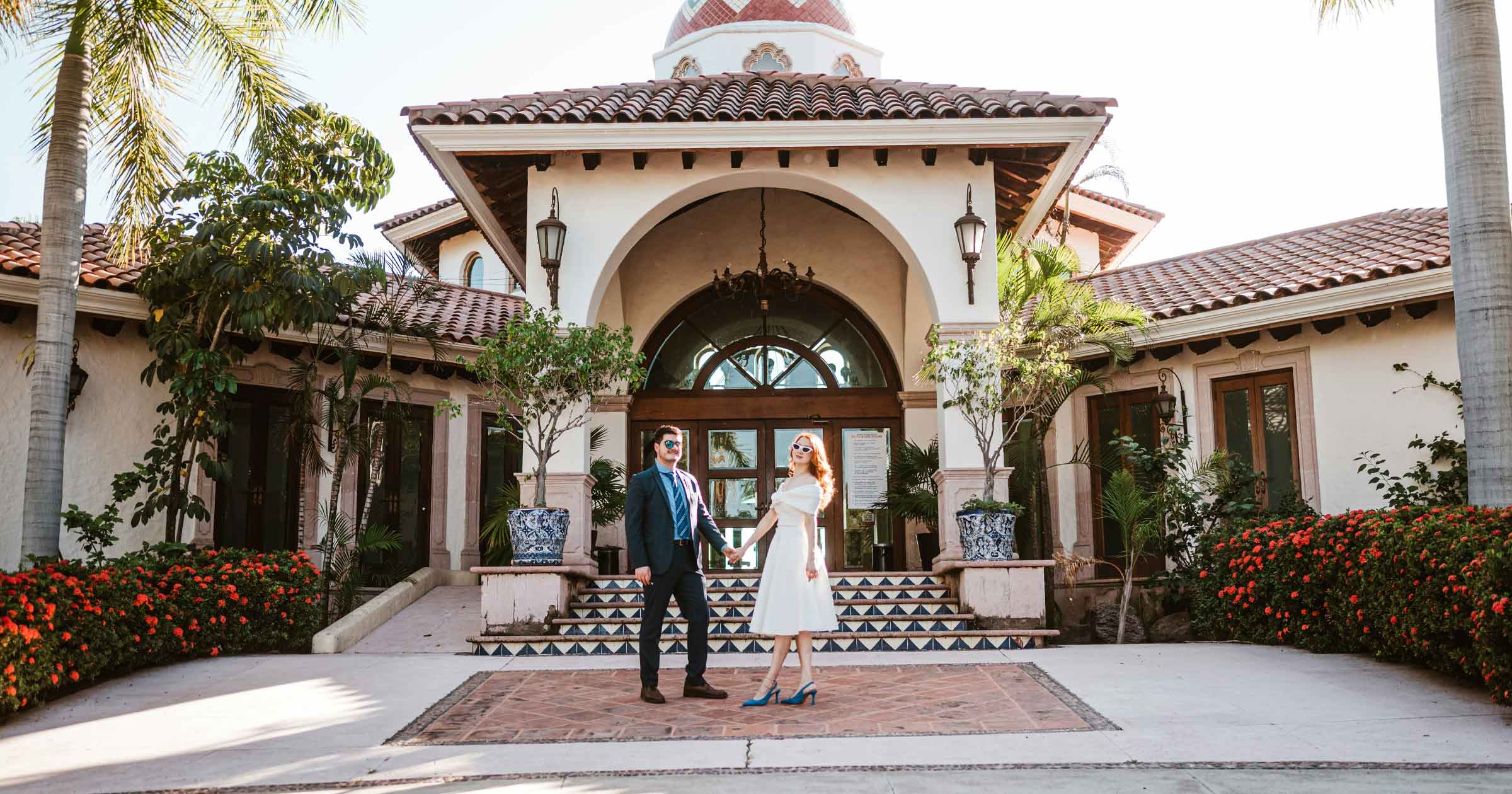
The ceremony is over. The pastor says, "You may now kiss the bride," the guests stand, and some are already taking out petals. In ten seconds, Natalie and Evan will walk down the aisle—quickly, laughing, without looking back.
And you're standing in the front row. You need to turn around, take a couple of steps back ahead of the couple, walk the entire aisle backwards, avoid bumping into the older woman with her phone, avoid tripping on the carpet, and keep both faces in the frame. Handheld, every step is a jolt. On a gimbal, it's one of the most rewatched shots in the film.
Except that same gimbal, an hour ago during the vows, was dead weight on your arm. Tonight, during the toasts, it will be in the way. And by the first dance, your arm won't hold it steady anymore.
A gimbal at a wedding isn't "the best gimbal" at all. It's a tool for 15–20 minutes a day that decide whether the film looks expensive. The other nine hours you have to carry it.
That's why searching for "best gimbal for wedding videography" is so annoying. At the top is a carousel of product cards with prices and stars; below are lists of "10 best gimbals," where weddings are mentioned in the title and nowhere else. This guide covers what's not in the cards: when a gimbal is necessary at a wedding, and when it's a hindrance; a gimbal versus in-camera stabilization and in post; which one to buy in 2026, and what's with DJI in the US; how to balance different lenses; which modes to use for the processional, the couple's exit, and the first dance; what happens to your hand after ten hours of filming; and what church rules say about gimbals. If you're still choosing a camera, there's a separate review of cameras for wedding video, and for lenses, there's a lens guide.
Do You Need a Gimbal for Wedding Videography?
The short answer: for most working studios, yes, but only for part of the day. The long answer starts not with technology, but with how your own eyes work.
Walk across the room and look at the doorknob. It doesn't bounce. Your head bobs with every step, but the image stays still. This is the vestibulo-ocular reflex at work: your inner ear senses your head turning, and your eyes turn back before you even notice. Physiologists Han Collewijn and Jeroen Smeets from Erasmus University in Rotterdam measured just how much earlier. They put a motorized helmet on people that sharply jerked their heads, and recorded eye movements with an accuracy of a thousandth of a second. The eyes began to compensate for the rotation after an average of 8.6 milliseconds. The results, published in the Journal of Neurophysiology, contain a detail that's important to us: even with this reflex, "gaze stabilization was never complete." The brain simply filters out the rest.
The camera doesn't have such a reflex. It faithfully records every step you take, even though you don't notice it. The viewer, however, watches this shot sitting down, their vestibular system unable to comprehend why the image is swaying if the body is motionless. In the summer of 1999, this was tested on millions of people: The Blair Witch Project, shot almost entirely handheld, became a hit, and along with it came reports of viewers experiencing nausea in theaters. Some theaters posted warnings about motion sickness. A wedding film won't make you sick to the same degree, but the principle is the same: the shaking the cameraman doesn't feel is felt by the viewer.
A gimbal, however, only serves one purpose: smooth camera movement. If the camera is stationary, it's unnecessary. If the cameraman can't move, it's in the way. Here's how it breaks down for a wedding day (our table, based on experience; your style may shift it):
| Part of the day | Gimbal? | Why |
|---|---|---|
| Getting ready | Sometimes | A cramped room requires a 35mm lens and quick changes. A gimbal is for one smooth movement around the room or to the window |
| Details (rings, dress) | No | Slider or hands with IBIS: small and slow movement |
| First look | Yes, with a second camera operator | Approaching the couple from behind and flying around is a classic gimbal approach. Main camera: a telephoto lens from a distance |
| Processional | Depends on the venue | In many churches, walking down the aisle is prohibited (more on that below) |
| Vows | No | Standing still for two to twenty minutes: monopod or tripod. The gimbal is just weight here |
| The couple's exit (recessional) | Yes | The most "gimbal" shot of the day: walking backwards in front of the couple |
| Couple portraits | Yes | Walks, approaches, parallel movement—that's what people buy it for |
| Toasts | No | Tripod or monopod on the speaker, second camera on the reaction |
| First dance | Yes | Slow fly-by of the couple, level horizon in low light |
| Dance floor | Sometimes | Gimbal or handheld filming with stabilization: style decides |
| Sparkler exit / final exit | Yes | Walking backward in front of the couple in the dark |
So, the gimbal works in five to six scenes. That's one and a half to three hours in your hands out of ten (our estimate). The rest of the time, it hangs on a belt, lies in a bag, or stands on its tripod.
How to know if it's right for you? If your couples choose you for the "movie"—approaches, fly-bys, slow walk-throughs—a gimbal is a must. If your style is documentary, with long takes of speeches and lively reactions, then good in-camera stabilization and a monopod will cover 90% of the day, and a gimbal can be rented for portraits.
During consultations, couples rarely ask about gimbals. They ask, "Will ours be like that video?" The best answer is to show two full weddings: one shot with a gimbal for portraits and the exit, and the other, almost documentary-style. The couple will figure out what they prefer and why the packages have different prices. If your work (with the couple's consent) is collected in an OurStoria portfolio on a page like ourstoria.app/yourname, it's a single link: up to 15 films, your logo, and the couple opens it on their phone right at the coffee shop table. You can find out how this page is structured on the portfolio for videographers page.
Gimbal or Handheld for Wedding?
This is the main debate in every wedding gimbal thread. And there's no single answer, because "handheld shooting" in 2026 is no longer just about holding a camera. Between a gimbal and bare hands, there are five other ways to get a smooth shot.
Alternative to Gimbal
In-camera image stabilization (IBIS). The sensor in the camera body is suspended by magnets and shifts to counteract hand shake. A good IBIS makes handheld shooting at 24-50mm almost "tripod-like" while you're standing still. The problem arises when you're walking: IBIS dampens minor shake, but not the vertical "jump" with each step or the tilt of the horizon. We discussed which cameras have the strongest IBIS in our camera review — here's the bottom line: IBIS replaces a gimbal for getting ready, details, and the dance floor, but not for the couple's exit.
In-camera electronic stabilization (Active Mode on Sony, similar modes on other brands). The camera additionally crops the image and smooths out motion. It works better than IBIS when walking, but it eats up some of the frame and sometimes creates a "jello" effect on quick turns.
Stabilization in post: Warp Stabilizer and Gyroflow. Warp Stabilizer in Premiere and the stabilizer in DaVinci Resolve analyze the image itself, searching for points and aligning them. They make mistakes in shots with crowds, confetti, and lens flares, resulting in that "floating" background. Gyroflow is designed differently. This is a free, open-source program that uses the gyro data the camera writes into the file, rather than the image. Initially a toy for FPV pilots and action cameras, it now understands metadata from Sony (including the a7 IV and FX3), GoPro, Insta360, and DJI cameras, and works as a plugin in DaVinci Resolve and Premiere. Gyroflow knows exactly how the camera moved, rather than guessing, so it doesn't get lost in the confetti. The price you pay for this is cropping: the more shake there is, the more the frame is cropped. The bottom line is simple: if you're shooting in 4K for a 4K film, you'll have little headroom; if you're shooting 4K for a 1080p film or in open gate, you'll have plenty of headroom.
Monopod. The most underrated wedding stabilizer. Sets up in a second, keeps the camera's weight on the floor, not your hand, and lets you do a slow tilt on its foot. It's better than any gimbal for vows and toasts.
Slider. Short, precise, slow movements: rings, a dress on a hanger, cutlery on a table. A gimbal won't move 40 centimeters so smoothly, but a slider will.
| Tool | Where it's best | Where it falls short | Preparation time |
|---|---|---|---|
| Gimbal | Walking, the couple's exit, fly-bys, portraits on the move | Standing scenes, cramped rooms, long speeches | Minutes: balancing, power-up |
| IBIS | Handheld shooting while standing, getting ready, details | Walking, horizon tilt | None |
| Electronic stabilization | Walking without a gimbal | Fast turns, cropping | None |
| Gyroflow / Warp | Rescuing shots, handheld shooting on the move | Heavy shake at 4K for 4K | Editing time |
| Monopod | Vows, toasts, second angles | Moving around | Seconds |
| Slider | Details, short precise moves | Anything where you need to walk | A couple of minutes |
Most working videographers end up shooting with a hybrid: a gimbal for portraits, the exit, and the first dance, a monopod for the ceremony and toasts, and IBIS (plus Gyroflow for editing) for the preparations and dance floor. We discussed how much this investment contributes to the film's perception and where money is wasted in our equipment ROI analysis.
How to tell good handheld from bad. Good handheld filming is a deliberate choice: lively, barely breathing movement during the preparations or toasts, where it adds presence. The bad one is forced: the couple's walk shot handheld because there was no time to set up the gimbal. The viewer doesn't notice the first one, but feels the second one.
Best Gimbal for Weddings
Below are the models that wedding videographers will likely find in stock in 2026. Prices are the manufacturer's suggested retail prices at launch or from the manufacturer's store page, verified on November 2, 2026. Dealers (B&H, Adorama) often have lower prices during sales—check before purchasing.
| Model | Payload (per manufacturer) | Gimbal weight | Price | Who it's for |
|---|---|---|---|---|
| DJI RS 4 Mini | 2 kg | 890 g | $369 (at launch) | Second cameraman, mirrorless + fast prime lens, lightweight all-day setup |
| DJI RS 4 | 3 kg | ≈1.4 kg | $549 (at launch) | Primary gimbal for mirrorless cameras with a 24-70 f/2.8 lens |
| DJI RS 4 Pro | 4.5 kg | ≈1.6 kg | $869 (at launch) | Cinema bodies (FX6, C70), heavy zooms, LiDAR focus for manual lenses |
| DJI RS 5 | 3 kg | ≈1.46 kg | $569 (at launch) | Like the RS 4, plus better tracking and a longer battery life; see US status below |
| Zhiyun Weebill 3S | 3 kg (at Zhiyun store) | ≈1.05 kg | $319 (at Zhiyun store) | Budget; compact design with a forearm rest, convenient for low passes |
| Zhiyun Crane 4 | Not clearly stated | ≈1.67 kg | $669 (MSRP) | Heavy-duty setups, built-in fill light |
Which one to get? For a mirrorless camera like the A7 V, R6 Mark II, or S5II with a single 24-70 zoom, a 3 kg-class gimbal is the workhorse: the RS 4 or RS 5; Zhiyun has the Weebill 3S. The RS 4 Pro makes sense if you have a cinema camera body, a heavy 70-200 on a gimbal (rarely needed), or you shoot with manual lenses and want autofocus via the LiDAR module. The RS 4 Mini is the best choice for a second camera operator: it's lightweight, inexpensive, and you can easily hand it to someone in their second season shooting with you.
Why not buy the most powerful one "just in case"? A 4.5 kg-class gimbal weighs more than a 3 kg-class one, and you'll carry that weight all day, even if the camera is light. A rule of thumb (our estimate): load the gimbal to no more than about 70–80% of its stated payload. The manufacturer's figure is a "tested payload" under ideal conditions, with a balanced camera. A wedding rig with a microphone, ND filter, and a long lens places more strain on the motors than the scale indicates.
Can You Still Buy DJI Gimbals in the US?
The short answer as of November 2026: existing models—yes, you can use them; older models are available in stores; newer ones are more complicated. The long answer is based on FCC documents.
On December 22, 2025, the Federal Communications Commission published DA 25-1086 and added two items to the so-called Covered List: foreign-made drones and their key components, and "all communications and video surveillance equipment" listed in Section 1709 of the FY 2025 National Defense Authorization Act. This section names DJI and Autel. Note the wording: not "DJI drones," but DJI equipment. RS series gimbals operate via Bluetooth, so, like any radio device, they must be certified by the FCC. Covered List equipment, however, will not receive any new certifications. We wrote about drones in detail in an article about wedding drone videography.
What this means in practice:
- What you already own is yours. The FCC, in its clarifications dated January 7, 2026, explicitly states that inclusion on the list does not prohibit the import, sale, or use of models that have already been certified. The RS 4, RS 4 Pro, and RS 4 Mini were released earlier and received certification.
- New models are questionable. This isn't a gimbal-related example, but it's very telling: the compact Osmo Pocket 4 camera was never released in the US in 2026—industry publications attribute this to the Covered List, even though it's not a drone.
- The RS 5 is a special case. It was released globally on January 29, 2026, and according to PetaPixel, official DJI channels in the US don't sell it, but some American dealers do. DJI hasn't explained why; we won't speculate on the reason.
- What else could change? In the summer of 2026, the FCC proposed (DA 26-742) to ban further imports of already certified equipment from several companies that produced action cameras and gimbals, presumably relabeled DJI products. This is still a proposal, not a decision.
For purchasing, this means something simple. If you're buying a gimbal for years of use, buying a model with valid certification from a US dealer is the safest option. If you want an RS 5, check that the seller is an authorized US dealer with a US warranty. And don't count on DJI's next gimbal reaching the US on time: keep Zhiyun and other manufacturers in mind as a backup plan. Check the status as of the purchase date—this changes every few months.
Wedding Gimbal Setup
A little history for self-respect. The device you balance before every wedding is traditionally also called a Cardan suspension, after the 16th-century Italian mathematician Girolamo Cardano. Cardano described it in detail, but he didn't invent it and didn't claim to have done so. The earliest known description is attributed to the Greek engineer Philo of Byzantium: an inkwell with several nested rings that remains level no matter how you turn it, and doesn't spill. However, this part of Philo's text has only come down to us in a 9th-century Arabic translation, and historians debate its authenticity. The principle hasn't changed. One thing has changed: Philo's rings moved under the weight of the ink, while yours are moved by three motors—and the motors really don't like it when you're lazy with the balance.
Balancing is not a formality. A well-balanced camera sits on a gimbal with the motors turned off in any position. Then, the motors only dampen the movement and barely work. A poorly balanced camera forces the motors to constantly support the weight: they heat up, make noise, drain the battery faster, and give up sooner on a sharp turn—the frame jerks at the most inconvenient moment. The classic procedure: first tilt for depth and height, then roll, then pan. Then auto-tuning the motor stiffness in the app.
Different lenses, different balance. This is where a gimbal at a wedding breaks the flow. Every lens change shifts the center of gravity. The 35mm f/1.4 and the 24-70 f/2.8 weigh differently and are different lengths—after a change, you have to rebalance at least the tilt. What to do about it:
- One lens on a gimbal for the whole day. Most often, this is a 24-70 f/2.8 or a fast 35mm, and for a lightweight setup, a 28-70 or 28-75. We discussed the reasons for these lenses and how much they weigh in the lens guide.
- A zoom lens with internal zoom is a gift for a gimbal: the length doesn't change, and the balance doesn't shift. A regular 24-70 "stretches" when zooming—the balance shifts, and the motors work harder.
- Mark the position of the plates. A piece of masking tape or a marker mark on the rail for each lens—and rebalancing takes 30 seconds instead of three minutes.
- Second camera. The most reliable solution: one camera lives on the gimbal all day, the second with a telephoto lens on a monopod. Lenses are never swapped.
Focus. You can't turn the focus ring on the gimbal by hand—you'll break the movement. There are three options:
- Eye-detection autofocus. For 90% of wedding scenes with a gimbal, this is the best option: mirrorless cameras from Sony, Canon, and Nikon reliably track faces while you walk.
- Follow focus motor on the lens plus a wheel on the gimbal handle—for manual lenses and for pulling focus on cue.
- LiDAR module. The DJI RS 4 Pro has a second-generation LiDAR focusing system: the module measures the distance to the subject with a laser and automatically turns the focus motor on the manual lens. This solution is for those shooting with cinema lenses. For a mirrorless camera with native autofocus, this is an expensive overkill.
Vertical Mode. All current DJI RS gimbals have a native vertical mode: the camera flips 90° without a separate L-plate. If you're shooting short vertical videos for the couple's social media and for your own, check how long it takes you to transition: there's no time to switch when the couple is leaving, so it's better to shoot vertical mode as a separate pass for portraits.
Pre-departure checklist (ours):
| What to check | How | What we usually find |
|---|---|---|
| Balance with each lens | Motors off, camera in three positions | Lens "pivots" downward after switching |
| Motor autotuning | Start after balancing | Shaking on high stiffness |
| Autofocus on the move | Follow a person in a dark room | Lost eye tracking at f/1.4 |
| Batteries | Full charge of gimbal, camera, and monitors | Battery in gimbal from previous wedding |
| App and firmware | Open before departure, not at the venue | Update 15 minutes before the bride arrives |
| Motor noise | On-camera mic recording in silence | A thin squeak that will be heard during the vows |
Best Gimbal Mode for Wedding
Manufacturers have different names for the modes, but the logic is the same. The DJI RS has the following basic modes: PF (pan only, tilt and roll are held), PTF (follows pan and tilt), and FPV (follows all axes, including roll). Plus, lock: on DJI gimbals, it's usually activated by holding the trigger under your index finger—all axes freeze as long as you hold the button. Zhiyun has a similar set: PF, L (lock), POV, F, and others.
Which mode is best for which scene (our table):
| Scene | Mode | Why |
|---|---|---|
| Couple's exit, walking backward | PF | Tilt and roll are held; you only pan left and right |
| Flying around the couple in portraits | PF or Lock | The camera points in one direction while you walk in an arc |
| Rising from a low angle to faces | PTF | A smooth tilt following the hand movement is needed |
| First dance | PF, slow speed | A smooth horizon in low light is key |
| Passing between tables | PF | No sharp turns, a level horizon |
| A creative roll on the dance floor | FPV | Only if it's a decision, not an accident |
| Passing table details | Lock | The camera maintains its direction, you only move yourself |
Quick change is more important than choice. At a wedding, you won't have time to open the app and find the right mode. Assign two or three modes to physical switches, and let their positions become muscle memory: you pick up the gimbal and, without looking, know it's in PF. Adjust the responsiveness and dead zone once in the app to suit your style: a slower responsiveness for the first dance and the couple's exit, a slightly faster one for portraits.
Double-click to center. On most gimbals, double-clicking the trigger returns the camera to the center. This is a lifesaver when the camera has drifted off to the side after a fly-by, and the couple is already heading toward you.
How to Film a Wedding with a Gimbal
The most famous tracking shot in film history was filmed on the ancestor of your gimbal. In the mid-1970s, Philadelphia cameraman Garrett Brown built a system that dampened the operator's footsteps: a camera on a spring-loaded arm, the arm on a vest, and a counterweight underneath. To sell the idea to Hollywood, he shot a demo reel of "impossible shots," featuring his girlfriend, later wife, Ellen, running up and down the steps of the Philadelphia Museum of Art. Director John Avildsen saw the reel, and a few months later, Sylvester Stallone ran up those same steps in Rocky, followed by Brown using the same system. The system was called Steadicam, its first film was Hal Ashby's Bound for Glory, and Brown won a technical Oscar for his invention. The idea behind your RS is half a century old, and your RS weighs a fraction as much. But the key skill is the same: the camera only moves when the cameraman moves.
Ninja walk. Knees are slightly bent, stride is short, feet roll from heel to toe, and the body doesn't rise or fall. Arms act as shock absorbers: elbows aren't tucked in, but they're not extended forward either—outstretched arms tire within two minutes. Walk slightly sideways, keeping your eyes on the screen from the periphery, and plan your route in advance: where the step is, where the edge of the carpet is, where the guest's bag is.
Processional
The processional is the first scene where the gimbal is limited not by technology, but by venue rules. Many churches explicitly prohibit walking down the aisle during the ceremony. For example, the Catholic Diocese of Orlando's policy prohibits photographers and videographers from being in or near the sanctuary during Mass. At Princeton University Chapel, photographers and videographers are not allowed in the aisle during the processional, but they can film the couple's exit from the aisle. Some are even stricter: the camera stays in one spot at the back for the entire service.
Therefore, a processional plan with a gimbal doesn't begin with a schedule, but with a question to the coordinator or the church office: "Can I move down the aisle during the entrance?" If not, place the gimbal at a point at the beginning of the aisle or to the side and film the bride and her father's approach with a slow, steady pan. A monopod in your other hand is for the second camera at the altar.
The Exit (Recessional)
The couple's exit is the most "gimbal" shot of the day and one of the most watched. The couple walks quickly; you move faster, and backward. What helps:
- Take your place before the kiss. As soon as the pastor begins his final words, you are already at the beginning of the aisle, in PF mode, with a centered camera.
- Keep your distance. The couple catches up to you, not you running away from them: your pace is slightly slower than theirs, and by the end of the aisle, they "walk into" a close-up.
- Wide lens. 24-35mm is forgiving of both distance and minor errors in pacing.
- Don't stop abruptly. The last two steps are a slowdown, then a sideways movement. The couple has passed by—and this is the natural end of the shot.
Families rewatch this shot separately, not as part of the film: Grandpa Walt wants to see his granddaughter leave the church, not scroll through forty minutes. It's convenient to feature the couple's exit as a separate short clip next to the highlight and the full film. In OurStoria client galleries, these clips are located in the same gallery as the film and photos—under a single link with your logo, without requiring registration for relatives.
First Dance
The first dance is a scene where a gimbal works almost without competition: a slow fly-by, a level horizon in low light, a fast prime lens. Three rules:
- Slower than it seems. The couple is moving slowly, and the camera should move slower than the couple. One full fly-by during the entire dance is fine.
- Don't block the second cameraman. Agree in advance: one cameraman flies around, the other stands at one point with a telephoto lens. We discussed how a second cameraman changes the final film in the study on the second videographer.
- Light matters more than a gimbal. At f/1.4, the depth of field is centimeters, and a gimbal doesn't help autofocus in the dark. Ask the DJ to keep all the lights on for the dance.
Sparkler Exit
Walking backward in front of the couple in the dark, surrounded by lights and smoke. Use PF mode, a wide lens, a high ISO, and—most importantly—walk the route in daylight half an hour before the exit. In the dark, you won't see the steps, and a gimbal won't save you from falling. If you're planning these scenes with a shot list, include the route there as well.
We've written in detail about how camera movement, lighting, color, and editing combine to create a "cinematic" style in our cinematic wedding video guide.
Gimbal Weight: Surviving a 10-Hour Wedding
No product description says what this gimbal weighs at seven o'clock.
Calculating on a napkin (our estimate): a mirrorless camera like the Sony A7 V weighs about 695 grams with a battery and card, a Tamron 28-75 f/2.8 G2 zoom weighs 540 grams, a DJI RS 4 gimbal with a handle weighs about 1.4 kilograms, plus a microphone, filter, and plates—300 grams. Total weight: about 2.9 kilograms, or about 6.5 pounds. Replace the zoom with a Sigma 28-45 f/1.8 (about 950 grams), and the rig goes up to 3.3 kilograms.
That doesn't sound like much. But you don't hold this weight close to your body, but at arm's length, often above chest level—on fly-bys, on low-to-high moves, or above the heads of guests on the dance floor. And you hold it motionless. This is the most uncomfortable mode for muscles: static loading.
Back in the middle of the last century, German ergonomist Walter Rohmert constructed a curve that is still taught in ergonomics: the greater the percentage of your maximum strength you hold motionless, the faster you reach failure. Hence the long-standing guideline: never hold more than 15% of a muscle's maximum for long. And recently, a team of physiologists from the University of Marburg tested a detail Rohmert didn't mention. Fourteen young men gripped a hand dynamometer with varying forces, holding their forearms at heart level, 27.5 centimeters higher, and the same amount lower. During heavy loads, hand positioning made no difference. And at the lightest, that same 15%, the arm above the heart gave out noticeably sooner: after about 390 seconds versus 456 seconds at heart level. Blood flow to the raised arm is reduced, and the muscle simply doesn't have enough blood flow. The study was published in Scientific Reports.
The experiment was conducted with a grip, not a dumbbell. But anyone who's filmed the first dance with raised arms at ten at night at a wedding will understand what this means: it's not the weight that tires you, but the fact that the weight is up and motionless. What to do about it:
- Hold the gimbal lower. Use a two-handed grip at your waist with a briefcase handle, or use the flashlight mode for low passes. Hands at your chest and below work longer than hands above your head.
- Lower it between takes. Stand it on its tripod, hang it on a belt, or place it on a chair. Thirty seconds of rest between passes is for blood flow, not laziness.
- Lighten the rig where possible. Use a light zoom instead of a heavy one, a small gimbal for the second operator, and avoid a monitor on the gimbal if you can clearly see the camera screen.
- Consider support. A belt with a support, slingshot handles, and vests with a spring-loaded arm (like the Tilta Float system for DJI gimbals) take the weight off the arms and onto the body. This is expensive and cumbersome, but for studios that shoot with a gimbal almost all day, it pays off in shoulder health.
- Split up the scenes. If you have a second operator, let the gimbal change hands: one shoots the couple's exit, the other the first dance.
Batteries
Modern gimbals offer a long battery life: the DJI RS 4 and RS 5 are promised up to 29–30 hours of battery life with a replaceable, high-capacity grip, while the RS 4 Mini promises up to 13 hours, but its battery is non-removable. These figures are for standby mode and perfect balance. A heavy rig, poor balance, cold outside, and powering the camera or focus motor from the gimbal significantly reduce this battery life. Our rule of thumb is to carry one fully charged grip per wedding and a spare in your bag. For the RS 4 Mini, bring a USB-C power bank on your belt.
If you're flying to a destination wedding, remember FAA regulations: spare lithium-ion batteries (a removable grip with a battery is considered a spare battery) are only allowed in carry-on baggage. Up to 100 watt-hours are permitted without approval, 101 to 160 watt-hours only with the airline's approval and no more than two spares. More than 160 watt-hours are prohibited. The watt-hour rating is printed on the battery itself. Such batteries can't go in checked baggage, and without them, at the wedding you'd be left with IBIS alone.
Motor Noise, Venues and Quiet Ceremonies
A gimbal isn't silent. The motors make a subtle squeal or buzz, especially when the rig is poorly balanced or the motors are running at high stiffness. In a hall with music playing, no one will hear this. During vows in a quiet chapel, an on-camera mic will pick up this squeal right over the words "I do."
Therefore, three practical rules:
- During vows, the gimbal takes a rest. If you're standing still, remove the camera from the gimbal or turn it off and place the camera on a monopod. This eliminates both noise and fatigue.
- The sound from the camera on the gimbal is only a reference. The main sound of the vows comes from the lavalier microphone, the officiant's recorder, and the venue's soundboard. How to record ceremony audio without any motor sounds in the film is covered in our guide on recording sound at a wedding.
- Check the noise level beforehand. Record 30 seconds in a quiet room using an on-camera microphone with the gimbal running. If you can hear it, rebalance and lower the motor stiffness.
Venue rules. We haven't seen any specific prohibitions on gimbals in church rules: a gimbal is considered simply a camera. However, camera movement is limited by the rules themselves: aisle, altar area, one location for the entire service. Reception venues have their own rules: don't interfere with waiters, don't stand in front of the photographer, don't climb onto the stage with the band. A short email to the coordinator a week in advance—"where I can move during the entrance, ceremony, and exit"—saves more stress than any gimbal setting.
For Videographers: Where Smooth Footage Gets Lost
You spent $549 on a gimbal, forty minutes of your life on balancing, and walked the whole aisle backward for the couple's smooth exit. Now think about where this shot will be seen.
Smooth camera movement is one of the most difficult types of video to compress. When the camera moves, every pixel in the frame changes: the foliage behind the arch, the petals in the air, the lights of the garlands, the faces of the guests on the sides. The codec requires a lot of data to convey this clearly. Messengers, social networks, and cloud services with their "optimization" compress the file at their own bitrate, and it's precisely in these shots that the image breaks up into squares, and the petals turn into mush. You bought the gimbal for this shot, and Grandpa Walt is watching it overcompressed in the family chat.
Therefore, it's especially important to deliver smooth scenes in their original quality. In OurStoria's client galleries, the couple downloads the exact file you uploaded, and relatives can watch it in their browser via a link—no sign-up, no messenger. Upload a highlight, the full film, the couple's exit as a separate clip, and photos to one client gallery, open the link on your phone—the way the couple will—and watch the exit you shot walking backward, just as the family will see it.
Start a 7-day free Pro trial →
We've compiled the entire delivery process—from the deadlines you promise during the consultation to the email a week after delivery—in our guide on how to deliver a wedding film to a client.
The Camera Floats Only If You Do
The couple will never know what kind of gimbal you have. They haven't heard of PF and PTF, they don't know how much an RS 4 weighs, and that you rebalanced it three times in one day.
They'll see something different. How they walked out of the church under the petals, and the camera moved before them as if by itself. How the grandmother in the front row wipes her eyes, and the horizon behind her is smooth. How the first dance slowly swirls around them in warm light, and no one in the frame thinks about the camera.
Their eyes automatically cancel out every step they take—in less than ten milliseconds. Your gimbal does the same for those who will be watching this day twenty years from now.
Related articles:
- Best Wedding Video Camera in 2026: Top Picks by Budget (Tested at Real Weddings)
- Best Lens for Wedding Videography: What to Use for Every Part of the Day
- The Equipment ROI Myth: Which Gear Investments Actually Improve Wedding Film Quality — And Which Are Status Purchases
- Cinematic Wedding Video: The Complete Guide to Shooting, Editing & Delivering (2026)
- How to Record Audio at a Wedding: Vows, Toasts, Readings and the Kit
- Wedding Drone Videography: FAA Part 107 Rules, Venues and Gear (2026)
- How to Deliver Wedding Video to a Client: A Step-by-Step Workflow