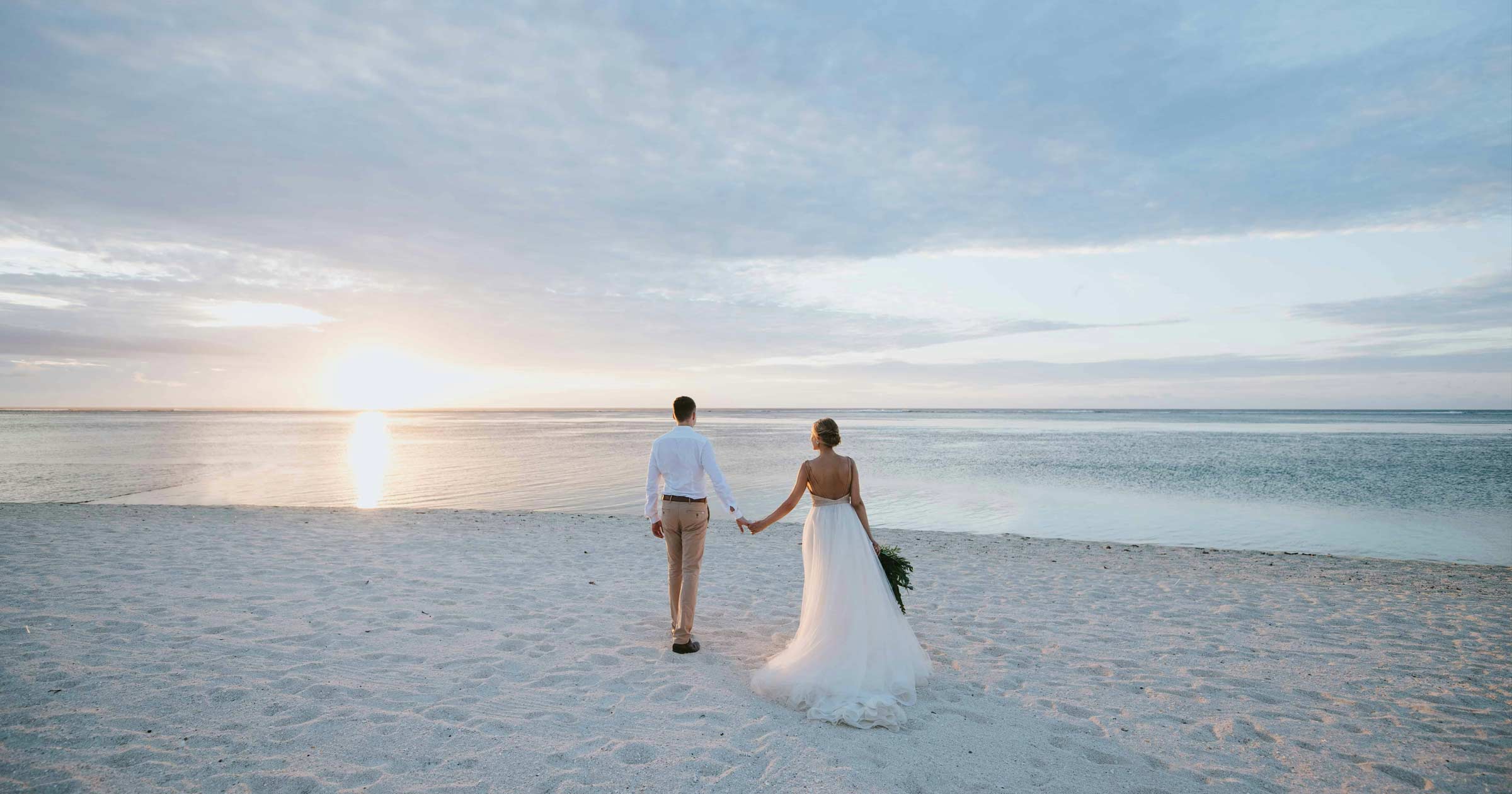
The image can be saved. An underexposed frame gets pulled up in the color grade, a shaky one is stabilized, a bad shot is replaced with another one. Even a missed kiss is sometimes covered by the second shooter.
Sound can't be saved. If the transmitter drops out on the words "I do," those words won't be in the film. In any form. Vows don't get a second take.
And the sound at a wedding doesn't break where you expect it. Not in a noisy hall during toasts—at least there's a DJ booth there. But at a quiet ceremony in the garden, where the wind blows wherever you place the recorder, where the pastor forgoes the lavalier microphone, where the bride whispers her vows, and the groom takes off his jacket at the last moment—microphone included.
This guide is a working plan for recording wedding audio, part by part through the day: how to mic the groom and officiant, where to place the recorder during the readings, where to get audio for the toasts and the first dance, why the wireless signal drops and what the FCC did about it, how to sync everything, and which microphones to buy at three budgets—with prices as of November 2, 2026. And finally, what to do with recorded vows and toasts so they actually get rewatched. We make OurStoria, a platform through which videographers deliver films to couples, and we see what families come back to again and again: not the drone shots or the highlight, but the voices.
Why the Microphone Doesn't Hear What You Hear
Let's start with why wedding audio is so tricky. You're standing twenty steps from the arch and can hear the vows perfectly. The camera is right next to you, capturing a jumble of wind, guests' whispers, and a distant voice. Why is that?
In the early 1950s, air traffic controllers faced a similar problem. The voices of several pilots were broadcast through a single loudspeaker in the tower, making it excruciatingly difficult to discern who was saying what. British engineer Colin Cherry, then conducting experiments at MIT, set out to understand how people pick out one voice among several. He played listeners two messages at once and asked them to repeat one of them. Through a single speaker, that was hard. But when the messages were presented to different ears, people easily separated them and even switched from one to the other. Cherry described this in the Journal of the Acoustical Society of America and gave the phenomenon a name that stuck: the "cocktail party problem."
The secret is that the brain listens with both ears and automatically "homes in" on the desired voice: by direction, timbre, pitch, and tempo of speech. A microphone can't do this. It honestly records everything it hears, in a single track—the wind, a cough in the third row, and the officiant's voice, all with equal respect. You hear the vows at the ceremony because your brain has filtered out the rest. The recording doesn't have that filter.
Hence the main rule of wedding sound: the microphone should be where the voice is, not where the camera is. A lavalier microphone eight inches from the speaker's lips, a recorder on the lectern, and a feed from the mixing board. The camera records sound only as a backup track for synchronization. We covered why sound ultimately decides whether a film gets rewatched in a separate study on sound in wedding films. Here, it's all about practice.
The rule of three sources. Every important speech is recorded in at least two independent ways, and preferably three: a lavalier microphone on the speaker, a recorder nearby, and a feed from the board, if there is one. Independent means not on the same device or the same battery. If one fails, you won't find out until the edit—and in the edit it's too late.
How to Record Wedding Ceremony Audio
The ceremony is the most important and most fragile part of the day. It lasts 20–40 minutes, it can't be stopped, and the necessary words are spoken quietly and only once. Here's the setup most studios use, in one variation or another.
| Source | Where | What it captures | Backup for |
|---|---|---|---|
| Groom's lav | Lapel or boutonniere | Bride and groom's vows, "I do," rings | Officiant |
| Lav or recorder on officiant | Lapel, robe, pocket | Introduction, questions, pronouncement | Groom |
| Recorder on lectern/music stand | Under the lectern or on a stand | Readings, family speeches | Lavs |
| Feed from the venue or DJ | Mixer output | Everything that goes through the sound system | Everything else |
| Camera sound | On-camera | Atmosphere, applause, sync support | — |
How to Mic a Groom
The groom is the main microphone of the ceremony. He stands a foot and a half from the bride, facing her, so his lav will also pick up her vows. A bride almost never wears a lav: there's nowhere to hide the transmitter and wire on her dress, and the fabric rustles with every movement.
Where to attach it. On the lapel or directly in the boutonniere, about a hand's breadth below the chin. Higher, and the chin will shadow the microphone and the voice will sound muffled; lower, and it will slide under the arm during a hug. If the groom turns to the right to face the bride, attach it to the right lapel: this way, the bride's voice will reach the microphone capsule, rather than being blocked by his shoulder.
Where to put the transmitter or recorder? The back pocket of his pants or the back of his belt, with the cable under his shirt. Never put it in his jacket's breast pocket: the groom will take his jacket off at the cocktail hour, and half your system will be left hanging on the chair.
When to put it on? 10–15 minutes before the ceremony, when the groom is already fully dressed, including his boutonniere. Any earlier, and he'll have time to get in the car, hug five people, and pull the cable loose. Any later, and you'll be chasing after him as the first chords begin to play.
What to say to the groom? One sentence: "The microphone is already recording. Everything you say before the ceremony is also recorded." Sometimes the most precious seconds are his "Okay. Okay. Breathe" a minute before the bride's entrance, but he should know they're recorded.
About the name: the word "lavalier" comes from jewelry: it was the name for a pendant on a chain. According to the most common theory, the jewelry was named after Louise de La Vallière, the mistress of Louis XIV. The first lavalier microphones were indeed worn on a cord around the neck, hence the name. So, technically, what hangs on the groom's lapel is a pendant.
Officiant: Ask First, Then Clip
The officiant is the second most important voice. They give the opening words, ask the questions, make the pronouncement, and sometimes tell the funniest story of the day. They get a lav too, but you ask first. Many priests and experienced officiants wear a stage microphone themselves and are accustomed to it, but some refuse—due to their own rules or the rules of the church.
A refusal isn't a disaster: place a small recorder with a lavalier microphone in the inside pocket of their binder or tucked into their book. Or place the recorder on the lectern where they stand. If the officiant has their own stage microphone, your primary source is the feed from the board, and the recorder on the lectern serves as a backup.
Readings and the Lectern
Readings are the most underrated part of the ceremony. They're read by Uncle Rick, who hasn't spoken publicly since high school, or by the bridesmaid, who speaks very quietly. They're not miked, and later in the edit, it turns out that the couple's favorite poem isn't in the film.
The solution: a recorder at the reading location. A small recorder with a lav clipped to the edge of the lectern or music stand, with the capsule facing the reader. Or a lav clipped to the mic stand, if there is one. Readers almost always stand at the same spot—that's where the mic goes.
Readings in advance. Ask the couple for a list of the readings and the names of the readers. Why: in the edit, you'll know exactly what you're looking for, and if the reading is a classic like First Corinthians, you'll know its length in advance. The texts of traditional vows and readings are in our traditional vows collection.
The Full Ceremony Belongs in the Gallery
A well-recorded ceremony isn't just material for a highlight reel. It's a film in its own right. Parents, grandparents, and godparents don't want 40 seconds of "I do" accompanied by music, but the entire ceremony: the pastor's introduction, the uncle's reading, the vows, the rings, the first kiss, and the walk back up the aisle to applause.
Deliver the full ceremony as a separate video, without cuts or overlays. In OurStoria's client galleries, it appears next to the main film as a separate video with your title—"Ceremony, full"—and within it, you can split the readings and vows into chapters, manually or from markers in Premiere and Resolve. How to do this is in the article about wedding film chapters. Grandma June, who wants to hear her granddaughter's reading again, can find it with one click.
How to Record Wedding Speeches
Toasts are the second point where sound is crucial. We wrote in detail about the conversation with the speaker, feedback squeal in the speakers, and the feed from the DJ board in our articles for videographers about father of the groom speech and mother of the groom speech. Here's what those don't cover: how to build a setup when there are six toasts, given from different spots in the room, and one microphone for everyone.
A plug-on recorder for a handheld microphone. The most underrated technique. A small recorder with an XLR connector, such as the TASCAM DR-10X, plugs straight into the bottom of a wired handheld microphone. It has no pass-through to the PA, so it works on a handheld that isn't feeding the sound system—for example, a second mic the speakers hold alongside the DJ's. Everyone who takes it is recorded eight inches from their lips. This doesn't replace the board feed, but rather backs it up: if the DJ moves the fader, the recorder on the microphone won't notice. Agree on the setup with the DJ first.
Recorder on the sweetheart table. Toasts are almost always addressed to the couple. The recorder on their table, hidden behind flowers, captures the groom's laughter, the bride's remarks, and anything spoken directly to them—things that aren't in the board feed or on the handheld.
The groom's lavalier remains on the groom. If the battery lasts, don't remove it after the ceremony. During toasts, it captures his retorts and whispers to the bride; during the first dance, it captures what they say to each other while everyone is watching. Sometimes, that's the most powerful line in the entire film. Modern lavalier recorders last all day: TASCAM specifies about 24 hours on a lithium battery for the DR-10L Pro.
First dance. The song comes from the DJ booth—the board feed gives you clean music. But it's not the song that creates the atmosphere of the dance, but the audience: laughter, "aww," and applause at the end. Place the recorder at the edge of the dance floor and mix both tracks. And the groom's lavalier, if he's still wearing it, might catch something that will make people rewatch the dance.
Vows and Toasts Are What Families Rewatch
A full recording of a reception lasts an hour and a half. No one will be looking for the uncle's toast. Therefore, each speech is a separate clip: from the first words to the last "Cheers!", without cutting, with good sound and a clear title.
In OurStoria's client galleries, it looks like this: the film is the main video, and next to it are clips for "Dad's Toast," "Maid of Honor," "Best Man," and "Ceremony, full," each with its own preview and duration. The order is set by dragging and dropping. A couple forwards a link to an aunt in another state, who opens it on her phone without signing up and immediately sees where her brother's toast is. This is the very minute for which you set up three sources for each speech.
Talking to the DJ, the Officiant, and the Venue
Half of a good wedding sound is made not at the wedding, but a week before—in three short conversations.
With the DJ (by phone or email a week before). - What kind of mixer does he have and which output is available: Record Out, Booth, or a second master out. Ask for one that's independent of the main fader—that way, its level in the hall won't affect your recording. This depends on the model, so ask directly. - What kind of connector: RCA, 1/4″, or XLR. Bring adapters for all three—they're the cheapest things in your bag and the most common reason you end up without a feed. - Bring a ground loop isolator. When you connect to a mixing board that's powered from the same circuit as your recorder, a low hum sometimes appears in the recording. A $20–30 isolator eliminates it. - Will he be providing sound for the ceremony? If so, a feed is needed for the ceremony as well, not just the reception. - How many wireless microphones does he have and on what frequencies? More on this in the section on interference.
With the officiant (through the couple or coordinator). - Does he agree to a lavalier microphone? If not, where will he stand and is there a lectern? - Will he have his own stage microphone? - Are there any moments in the ceremony where he steps away from the couple: the lighting of the unity candle, the sand ceremony, the exchange of rings with the parents.
With the venue (through the coordinator). - Does the venue have its own sound system and sound engineer? If so, ask for a feed from their board. - Are there any restrictions: where the videographer can't stand, can the recorder be placed on the altar or pulpit, can anything be attached to the stands? Such rules are common in churches, and it's better to find out about them in advance than from the minister five minutes before the service.
Twenty minutes of emails a week ahead saves hours of editing and at least one wedding a season.
Wireless Mic Interference
A wireless system is convenient. You see the level, hear it in your headphones, and the sound goes straight to the camera. But at a wedding, it has many enemies.
2.4 GHz — a shared kitchen. Most compact video systems—RØDE Wireless PRO, DJI Mic, and Hollyland Lark—operate in the 2.4 GHz range. This is also the frequency used by the venue's Wi-Fi, Bluetooth speakers, the phones of 150 guests, and often the DJ's wireless microphones. Add to this the fact that 2.4 GHz is easily absorbed by water, and a human being is mostly water. When thirty guests stand between the transmitter on the groom and the receiver on the camera, the signal starts to break up.
What helps. - Line of sight. The receiver is above everyone's heads: on a stand, on a tripod above shoulder level, not on the camera at the waist. - Distance. The stated 250–400 meters are measured in an open field. In a crowded room, expect a fraction of that. - Mount the transmitter with the antenna facing out, not tucked against the body under a belt. - And most importantly: internal recording in the transmitter. All serious systems of recent years can record audio directly in the transmitter, in parallel with the radio link. If the signal cuts out at "I do," the phrase remains intact in the transmitter. Always enable internal recording. This isn't an option, it's insurance.
UHF and the FCC story. Professional systems like the Sennheiser EW-DX or Deity THEOS operate in the UHF range. It penetrates better through a crowd and carries farther, but it has its own American history.
Wireless microphones lived for decades in "empty" TV channels. Then spectrum became expensive. Initially, after the transition to digital television, the FCC allocated the 700 MHz band to telecommunications and mobile internet: microphones have been prohibited there since June 12, 2010. Ten years later, the same thing happened to the 600 MHz band: it was auctioned off to mobile operators, and since July 13, 2020, microphones are no longer allowed there. The FCC went further and revoked certification for equipment that can tune to 616–653 and 663–698 MHz.
Why does this affect a videographer in 2026? Because of the used market. A used, ten-year-old UHF system at half price seems like a bargain. But if it operates in a prohibited band, it's illegal to use in the US, and the carriers who now own these frequencies will cause you more interference than any guest. Before buying, check the frequency range sticker. New systems for the US market are already sold in the permitted bands.
DJ microphones are your neighbors. If the DJ has UHF radio microphones and you also have UHF, agree on frequencies in advance. Two systems on adjacent channels produce pops and crackles that can't be removed.
Wind, Rustle, and the Loudest Word of the Day
Three things can ruin even a well-placed microphone.
Wind. Beach, garden, rooftop. A lavalier microphone without a windscreen outdoors means recording a hurricane with a distant voice somewhere in it. Use "furry" windscreens (often called "dead cats"), not foam ones: foam helps with breath pops, but not with wind. Even better, hide the lavalier microphone under a thin layer of fabric on the leeward side: the lapel itself acts as a windscreen. In windy conditions, test the recording with headphones before the ceremony, not after.
Rustling clothes. This is the main enemy of a hidden lavalier microphone. What it sounds like: dull pops and scraping sounds with every movement, especially when the groom takes the bride's hands or they embrace after a kiss. Why: the fabric rubs directly against the capsule. How to fix it: secure the capsule so it doesn't move relative to the fabric—use special adhesive pads or a triangle of adhesive tape, loop the wire under the capsule to relieve strain, and avoid letting the tie touch the microphone. Before the ceremony, ask the groom to raise and lower his arms—and listen.
The loudest word of the day. "I do" is said quietly. And then the officiant announces, "You may kiss the bride!" and the guests burst into applause. You have a challenge: a quiet whisper and the roar of the audience in a single recording. Previously, this was solved by using a quieter backup track. Today, most new recorders and wireless systems record in 32-bit float format.
It sounds like a textbook term, but the meaning is simple: the file stores sound with so much headroom that it's virtually impossible to overload it and very difficult to record too quietly. If "Cheers!" looks clipped in the recording, you simply lower the gain in the edit—and the clipped peaks come back. Good 32-bit float recorders do this using two analog-to-digital converters: one tuned to quiet sounds, the other to loud sounds, and the recorder stitches them together automatically. TASCAM explicitly states about the DR-10L Pro that because of this, the recording level doesn't need to be adjusted at all, and the Zoom F2 has no level control at all.
For a working videographer, this is no longer exotic; it's the standard. One incorrectly set level at a ceremony—and a lost vow is worth more than any recorder. But there's a catch: 32-bit float saves from overload, but not from wind, rustling, or a distant microphone. Noise recorded in 32 bits is still noise.
Napkin math: how much space. A 48 kHz mono track in 32-bit float takes up about 0.7 GB per hour (our calculation: 48,000 × 32 bits ÷ 8 ≈ 192 KB per second). A wedding day—10 hours—is 7 GB for one lavalier microphone. A 64 GB card will last the entire season if you offload and format it after each wedding. RØDE claims "over 40 hours" for the Wireless PRO on 32 GB of internal memory—a calculation that matches.
How to Sync Audio and Video
At a wedding, you have five to seven audio sources and two or three cameras. They all started recording at different times. There are three ways to sync them together.
| Method | How it works | Pros | Cons |
|---|---|---|---|
| Timecode | All devices receive the same time and record it to a file | Instant, no camera audio needed, no drift | Every device has to support it |
| Waveform | The program compares the audio from the recorder and the camera audio | Works with anything | You need audio from the camera; it can mis-sync in wind and noise |
| Manual | A clap in the frame or a peak on the track, you align it by eye | Reliable, always | Slow at a long wedding |
Timecode. This is a timestamp for each frame and each piece of audio. If you jam-sync all your devices in the morning from a single generator, the editing software will line up the files automatically. By 2026, timecode has come to inexpensive devices: the RØDE Wireless PRO, DJI Mic 3, Deity THEOS, and the TASCAM DR-10L Pro received it with firmware update 2.0. The accuracy of the internal clock is important: TASCAM specifies no more than a frame per day for the DR-10L Pro, while DJI specifies less than a frame per 24 hours for the Mic 3. This is more than sufficient for a wedding.
By waveform. This is the most popular method. In Premiere, this is Merge Clips or Synchronize with the sync point set to Audio; in DaVinci Resolve, it's Auto Sync Audio → Based on Waveform. This only works if the camera is recording at least some audio, so never turn off the camera's built-in microphone, even if it's "useless." It's more useful for synchronization than anything else.
Manually. Clap your hands in front of each microphone and in each camera's frame at the beginning of the ceremony. The peak of the clap is visible on all tracks—lining them up takes a minute. If clapping is inconvenient (the pastor has already started), look for any sharp sound: the stomping of boots, the chorus of "Amen," the first applause.
A trap few people know about. Sound travels at about 343 meters per second—approximately 1,125 feet per second. A camera positioned 50 feet from the couple hears the vows 44 milliseconds later than the groom's lavalier microphone. A camera at the back of a large cathedral, 130 feet away, hears the vows 116 milliseconds later. When you sync the lavalier microphone to the sound from such a camera, the software will faithfully shift it by the same 116 milliseconds—and the voice will lag behind the lips.
Will the viewer notice? The International Telecommunication Union (ITU) cites tests conducted in Japan, Switzerland, and Australia in its recommendation on synchronizing sound and video. Average viewers noticed when the sound lagged behind the picture by approximately 125 milliseconds, and when it ran ahead of the picture by as little as 45 milliseconds. We're accustomed to sound arriving later than light: thunder after lightning, a bat hitting a ball, which is heard a split second later. But sound arriving before lips seems unnatural almost immediately.
This leads to a practical conclusion. If you synced to the audio of a distant camera, check the lips in a close-up and, if necessary, shift the audio 2–3 frames earlier. And check the synchronization at the end of a long ceremony, not just at the beginning: the clocks of devices without timecode run slightly differently, and over 40 minutes, they can diverge by a frame or two.
Best Microphone for Wedding Videography
Short answer: the best microphone for a wedding isn't a single microphone, but a system: a wireless lavalier with internal recording for the groom, a separate recorder with a lavalier for the officiant or lectern, a recorder with a line input for the board feed, and a shotgun mic on-camera for ambience. Now, what to choose for each role.
Best Wireless Mic for Wedding Videography
A wireless system is needed to hear audio in real time and record it directly into the camera. Two features are essential for weddings: internal recording in the transmitter and, preferably, 32-bit float. Without internal recording, any wireless system at a wedding is a gamble.
- RØDE Wireless PRO is the most balanced choice for the working videographer. 32-bit float in the transmitters, built-in memory for 40+ hours, timecode, 2.4 GHz. After the 2025 price cut, it's $299 for the two-transmitter, one-receiver set.
- DJI Mic 3 and Mic 2 are very similar in capabilities (the Mic 3 also records 32-bit float and supports timecode), but DJI is currently struggling with the US market: both models are listed as out of stock on DJI's US website as of November 2, 2026, and new DJI audio models are not officially released in the US. If you already have a DJI Mic, use it. Building a system around it is currently risky.
- Deity THEOS is a professional digital UHF system for those who find 2.4 GHz limited: large venues, dense crowds, or near Wi-Fi. It records 32-bit float to a card in the transmitter and receives timecode. $1,090 for a two-channel set.
- Hollyland Lark M2S — a budget system for about $109 (Mini Combo) without 32-bit float. Suitable as a second pair for interviews or for a roaming camera, but not as a sole source for vows.
Best Lav Mic for Wedding Videography
We're not talking about wireless systems here, but a lavalier microphone with its own recorder—a small box in your pocket that simply records to a card. No radio, no interference, no receiver. That's why many experienced studios use such a recorder on the officiant and lectern even with wireless systems.
- TASCAM DR-10L Pro — the standard of the genre. 32-bit float by default, timecode, about a day's battery life, $199.
- Zoom F2 — the cheapest way to get a 32-bit float lavalier microphone: about $100 with a lavalier microphone included. There's no level control because it's not needed. There's no timecode: sync is by waveform or clap.
Lavalier recorders have one drawback: you can't hear them in real time. Therefore, test the recording right after you mic someone up—record ten seconds, listen with headphones—and turn on the recorder early.
Best Shotgun Mic for Wedding Videography
A shotgun mic on a wedding camera isn't for vows. It's too far away for vows, and there's no getting around how a voice fades with distance. Its purpose is to create atmosphere and support synchronization: applause, laughter, the clinking of glasses, footsteps down the aisle, the cry of "Woo!" as the couple exits. In editing, these are the sounds that bring the picture to life.
- RØDE VideoMic NTG — about $259, compact, easily lives on camera all day.
- RØDE NTG5 — about $485, broadcast grade; at weddings, it's often placed on a stand near the dance floor or for interviews with guests.
If you record audio into the camera over XLR and the camera supports it, preamps and inputs are covered in the audio section of our wedding camera guide.
Wedding Videography Audio Gear
Three ready-made kits. Prices are based on US store catalogs (B&H, Sweetwater, Adorama) and official manufacturer stores as of November 2, 2026. They change weekly, and discounts can be deep, so look at the order of magnitude, not the cents.
| Level | What's included | Price (November 2, 2026) | Who it's for |
|---|---|---|---|
| Budget | 2× Zoom F2 (groom + officiant/lectern), Zoom H4essential (feed from console and ambience), Hollyland Lark M2S (camera) | ≈ $530 (2 × $99 + $219 + $109) | First 1–2 seasons, one camera, small weddings |
| Mid-range | RØDE Wireless PRO (groom + officiant), TASCAM DR-10L Pro (lectern), Zoom F3 (feed from mixer, 2 channels), RØDE VideoMic NTG | ≈ $1,060 ($299 + $199 + $299 + $259) | Working studio, 20–40 weddings per year, two cameras |
| Premium | Deity THEOS (2 UHF channels), 2× TASCAM DR-10L Pro (lectern + couple's table), Zoom F3 (feed), TASCAM DR-10X (for a handheld mic), RØDE NTG5 | ≈ $2,420 ($1,090 + 2 × $199 + $299.99 + $149 + $485) | Large halls, cathedrals, large receptions |
| Premium alternative | Sennheiser EW-DX MKE 2 Set (UHF, two lavalier mics) instead of THEOS | $2,799–$2,999 for the system only | If you're already working with the Sennheiser ecosystem |
Additionally, any set includes: RCA/1/4"/XLR adapters, ground loop isolator, furry windscreens, adhesive pads for the lavalier mics, a day's worth of spare batteries, and memory cards. That's another $60–$100, but without these little extras, expensive equipment won't save you.
Napkin math. The mid-range kit costs around $1,060. If you shoot 25 weddings per season and your equipment lasts three seasons, that's about $14 per wedding (our estimate, excluding resale). One lost vow means a moment that can't be reshot, a bad review, and a couple who won't recommend you to their friends. Sound is the cheapest insurance policy in your bag.
Madison and Tyler: The Vows That Almost Weren't
A lakeside garden, September, a wind blowing off the water. The ceremony was at 4:30 p.m., with one hundred and twenty guests. Pastor Dave declined the lavalier microphone: "I have my own mic; I've been doing weddings this way for thirty years." His microphone was connected to the venue's speaker, which had no usable output.
The videographer followed the instructions. Tyler wore a wireless lavalier microphone with internal recording on his right lapel, with a windscreen. A Zoom F2 was under the lectern, facing the pastor. An ambience recorder was in the front row. Timecode on the wireless system and cameras, a clap before the start for the rest.
Halfway through the vows, Madison approached Tyler and took both his hands. Forty guests in the front rows stood for a better view. A living wall appeared between the groom and the camera receiver. The signal dropped for four seconds—precisely at "I promise to choose you, every single day." The videographer heard silence in his headphones and went cold. In the editing room, he opened the file from the transmitter. The phrase was intact: the transmitter was recording the sound independently of the radio. The rustle of hands on the lapel, the wind, transformed by the windscreen into a gentle rustle, and Madison's voice—slightly trembling, perfectly clear.
The couple never knew those four seconds might have been missed. That's exactly how it should be.
For Videographers: Delivering the Sound You Fought For
You've set up three sources for each speech, arranged with the DJ, captured the whispers at the first dance, and rescued the vows from the transmitter file. All that's left is to make sure it's not lost at the final step.
Audio also gets lost in delivery: messaging apps compress it along with the video, and people simply can't find the father's toast at the 52nd minute of a ninety-minute film.
So deliver the audio where it will be found. The main film, the full ceremony, each toast as a separate clip with the speaker's name, and the entire first dance. Check the volume on your phone speakers, not just through headphones—that's how they'll be heard most often. For information on how to organize the entire delivery process, from deadlines to the email a week later, read our guide to delivering a wedding video, and for export settings for Resolve, read the article about exporting from DaVinci Resolve.
In OurStoria client galleries, the couple receives everything in a single link with your logo: the film, ceremony, and toasts as separate clips, with photos side by side. And when downloading, they receive the exact file you mixed—with your own balance of voices and music, without any other editing. Try it with your latest wedding: upload the film, the full ceremony, and two toasts, give them clear names, and open the link on your phone—just like the mother of the bride would.
Start a 7-day free Pro trial →
The Voice Is the Memory
Twenty years from now, no one will remember what lens it was shot on. No one will notice that the lighting was a little off at the first dance.
But someone will turn on the film when their parents are no longer around. And they'll hear their father falter as he says, "I've never been prouder." They'll hear the bride's voice tremble during the second promise. They'll hear Grandma laughing in the third row.
The picture shows how it all happened. The voice brings back what it was like.
So, set up three sources. Talk to the DJ a week in advance. Turn on internal recording. It's boring work that the couple will never know about.
They'll only know one thing: they can hear every word.
Related articles:
- The Sound of a Wedding: How Audio Quality Determines Whether Couples Treasure or Forget Their Film
- Best Wedding Video Camera in 2026: Top Picks by Budget (Tested at Real Weddings)
- Father of the Groom Speech: 8 Examples, Template & Tips (2026)
- Mother of the Groom Speech: 8 Examples, Template & Tips (2026)
- Wedding Film Chapters: How to Add Them from DaVinci Resolve and Premiere Pro
- How to Deliver Wedding Video to a Client: A Step-by-Step Workflow
- DaVinci Resolve Export Settings for Wedding Video: The Definitive Guide (2026)