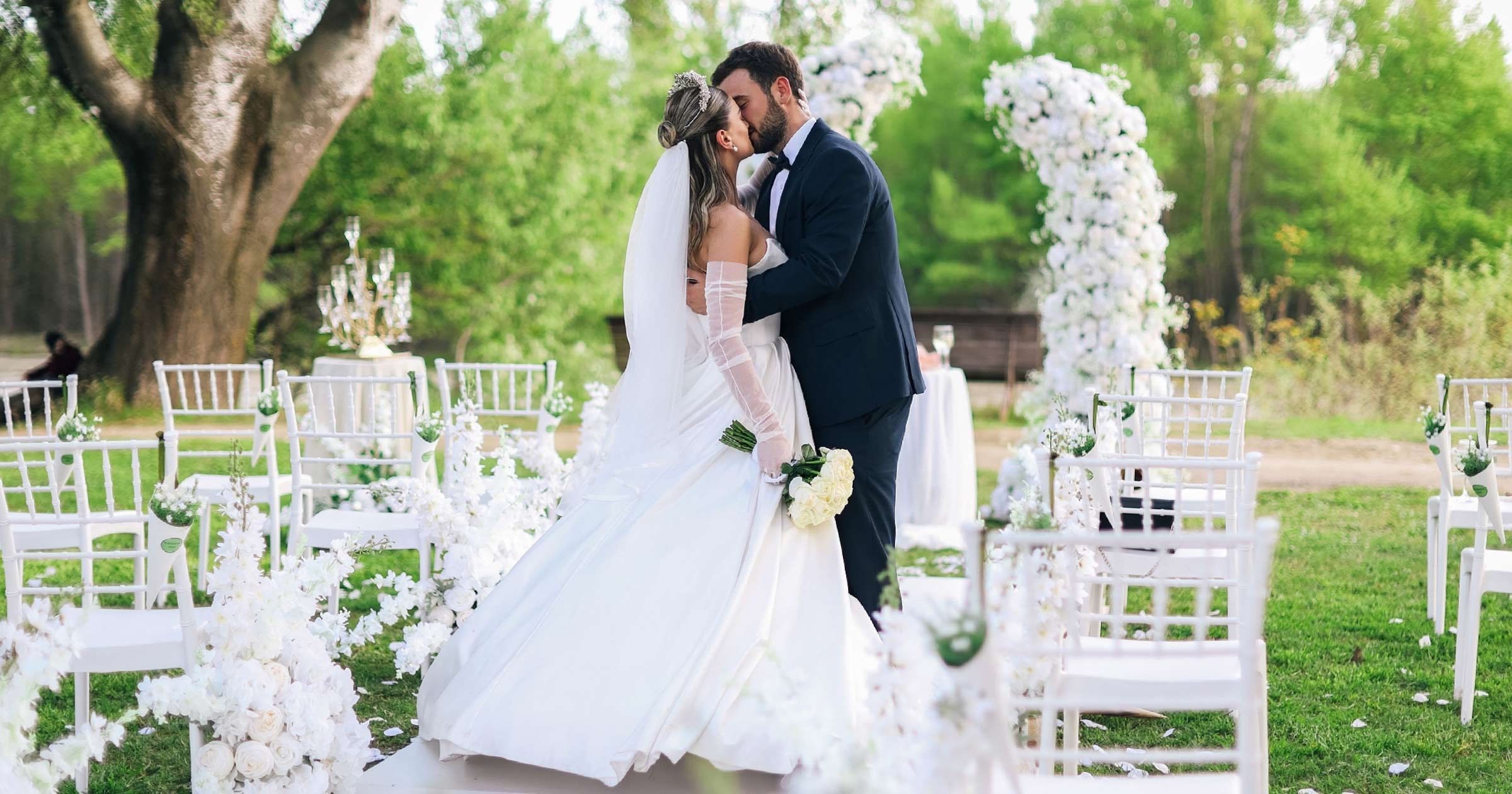
It's five to eight. The DJ has already glanced in your direction twice. The lights in the hall will be dimmed in five minutes. On the laptop screen in the utility room behind the kitchen, the export bar is at 91% and isn't moving.
You look at it. The editor looks at it. For some reason, the waiter with the tray is also looking at it.
Same-day editing is the most nerve-wracking part of a wedding video. A typical film takes eight weeks to edit, in silence, with coffee and the right to a second cut. Here, you have three hours, someone else's power outlet, the venue's Wi-Fi, and one hundred and fifty viewers who will see the result simultaneously. There will be no second takes. And yet, it's precisely for this kind of evening that many couples choose a videographer: when the lights go down and their morning appears on the screen, the room becomes so quiet you can hear grandma crying.
This guide is for videographers who are already shooting weddings and are considering adding SDE to their packages, or who are already doing it and want to stop the stress. We'll explore the origins of the format and why it works, what the day's timeline looks like, who edits and what they use, what project to assemble in advance, how to choose a track, how to avoid a failed projector screening, how much to charge, and what to do with the reel after the audience has applauded.
Wedding Same Day Edit: Where It Came From and Why It Works
The story that started it all. In the early 2000s, Filipino videographer Jason Magbanua shot weddings the same way everyone else did: on tape, with the film released a few months later. One day, a bride named Michelle asked him for something unusual: to edit the getting ready and the church and show it to the guests that same evening, at the reception. He later recalled that he didn't have a laptop at the time, but he agreed anyway. After church, he rushed home, edited the reel in Premiere, and took a taxi back to the Makati Shangri-La Hotel in Manila. The reel was shown. According to him, the jaws of eight hundred guests simultaneously dropped.
Magbanua isn't the only one laying claim to the title of first: no one knows exactly where SDE came from. But he is credited with making the format famous. In the Philippines, same-day editing is now part of the basic package for most studios, while in the US, it remains a premium option, not offered by all. For you, this is an opportunity: a product that many of your colleagues simply don't offer.
Why a reel that's worse than the final film makes such an impression.
Objectively, the SDE is a rough draft. The color was hastily corrected, the sound was unpolished, and the edit was assembled in an evening. Eight weeks later, you'll hand in a film that's better in every way. And yet, couples remember the reception screening for years to come.
Yale University psychologists Erica Boothby, Margaret Clark, and John Bargh have a good explanation. They gave participants chocolate to taste. Another "participant," actually the research assistant, sat nearby. In one condition, she ate the same chocolate at the same time; in the other, she leafed through a booklet of paintings. The chocolate was identical. But when eaten together, people found it tastier and more intense. In the next experiment, the chocolate was replaced with bitter chocolate, and sharing it actually made it taste worse. The article was published in the journal Psychological Science, and it was simply titled: "Shared Experiences Are Amplified."
The reception screening is that same chocolate. One hundred and fifty people are watching the same thing at the same time, and every laugh, every sob in the audience makes the reel stronger for everyone else. This leads to two conclusions. The first is a positive: the SDE doesn't have to be perfect; the audience makes it. The second is a negative: a poor showing (out-of-sync sound, a washed-out picture, silence instead of music) will be amplified by the audience too.
A risk worth knowing in advance. If the reception screening is very strong, the final film in the living room on Tuesday night may feel like a rerun. We discussed this in detail in our study on whether same-day edits and early teasers help the final film. The practical implication is simple: the SDE should be the trailer of the day, not a recap. Below, in the section on structure, we'll show you how to preserve in the final film what the SDE didn't include.
Wedding Videography Same Day Edit: The Timeline That Makes It Possible
Same-day editing isn't born in the editing room, but in the day's schedule. If there's no window for editing, no laptop will help.
The main rule: the show is scheduled before the contract is signed. Not "sometime in the evening," but at a specific time agreed upon with the coordinator and DJ. This is usually one of two windows:
- after dinner, before the first dance — guests are seated, facing one direction, the hall hasn't yet transformed into a dance floor;
- immediately after the couple enters the hall, if dinner is late and the first dance is a long way off.
A screening after the dancing has started almost always fails: half the guests are at the bar, the other half at the photo booth, and the lighting is already colored.
Here's what a day with a 4:00 PM ceremony might look like (our rough outline; for a detailed timeline for such a day, see the article on wedding day timeline with a 4:00 PM ceremony):
| Time | What's happening | What the SDE team does |
|---|---|---|
| 1:00 PM | Bride and groom getting ready | Filming; the editor opens the prepared project |
| 1:45 PM | First cards from getting ready | Copying, selection, rough assembly of the morning |
| 2:30 PM | First look | Filming; the editor is already assembling the first 40–60 seconds |
| 3:15 PM | Portraits, wedding party | The second batch of cards goes to the editor |
| 4:00 PM | Ceremony (20–30 minutes) | Filming; the editor waits and finishes the morning |
| 4:35 PM | SDE footage freeze | The editor reviews the final ceremony cards |
| 5:00–6:00 PM | Cocktail hour | Main edit: ceremony, vows, ending |
| 6:00 PM | The couple's entrance, dinner | Sound, color, titles |
| 7:15 PM | Edit lock | No further changes |
| 7:20 PM | Export | Export + copy to flash drive |
| 7:45 PM | Projector check with the DJ | Sound, brightness, volume |
| 8:00 PM | Screening | You're standing by your laptop, not at the bar |
Look at the first two bold lines. Footage freeze is the point after which no new footage is added to the SDE. This is usually the end of the ceremony or the church exit. Everything after that (cocktails, toasts, dancing) is saved for the final film. Edit lock is the minute after which you don't touch the timeline, even if you've remembered the perfect shot with the rings. This is the minute people skip, and it's the reason why the export ends five minutes before the screening instead of forty.
Copy time is a hidden cost. On the DVinfo forum in 2011, videographers who had done SDE on DSLRs complained about exactly this: the cards were taking longer to copy than the editing process. One of them, Art Varga, reported that simply changing the card reader from USB 2.0 to USB 3.0 reduced the copy time of a 16 GB card from 26 minutes to eight. Another, Joel Peregrine, calculated a minute per gigabyte.
Today, cards are dozens of times larger, and their buses are many times faster. According to the SD Association, the UHS-I interface transfers up to 104 MB/s, and UHS-II up to 312 MB/s. This is the bus limit; a real card is almost always slower. A quick calculation: a 128 GB card, even at a theoretical 312 MB/s, takes about seven minutes to transfer, while at a real 150–200 MB/s and with an average reader, it takes 12–15 minutes. Multiply by three or four cards from getting ready and the ceremony, and you get almost an hour during which the editor is not editing anything. Therefore, the cards are given to the editor in batches, as they are being filmed, rather than all at once after the ceremony.
Same Day Wedding Edits: Second Editor or Laptop at the Venue?
There are three workflows. All three exist, but they are suited to different weddings.
| Workflow | What it looks like | Who it's suitable for | Where it breaks down |
|---|---|---|---|
| One videographer, editing during breaks | You shoot yourself, edit during cocktail hour and dinner | Small weddings, short 2-minute SDE | You don't shoot cocktail hour and dinner; any delay eats up the entire edit |
| Two camera operators, the second one goes off to edit | The second camera operator films before the ceremony, then gets to the laptop | Medium weddings, 3–4 minutes | The ceremony is shot with one camera, the second angle is lost |
| Dedicated editor on location | Two camera operators shoot all day, the editor sits with the laptop from 1:00 PM | Large weddings, premium package | The most expensive plan; the editor needs space, a power outlet, and food |
Why solo videography is the riskiest approach. British videographer Simeon Quarrie, discussing his first SDE in the Fstoppers comments, explained that he usually works with three people, but for a wedding with over 400 guests, he brought a fourth person. And yet, the team still lost three hours of editing time due to another contractor's oversight. If this happens to a team of four, a solo videographer with an SDE has no time at all. On the same DVinfo forum, Kelly Langerak summarized the rule: an SDE requires two people you trust completely.
Where the editor sits. This seems like a small thing until you're on set. The editor needs:
- an outlet and a table, not kneeling in the corner of the tent; arrange a location with the coordinator in advance;
- quiet: a utility room, the empty bridal suite after getting ready, or a hotel room at the venue;
- closed-back headphones because the DJ is playing through the wall;
- food: the editor who skipped lunch for the ceremony is less sharp by 7:00 PM;
- a second drive: everything copied from the cards is immediately duplicated. The cards aren't formatted until the morning.
Laptop. The requirements are simpler than they seem: a 3–4-minute video doesn't put as much strain on the computer as a full film. What matters more is that the laptop must be able to handle your source file natively, without proxies, without lag. If 4K HEVC is slow on your laptop, switch the cameras feeding the SDE to a codec the laptop can handle for the day, or shoot the SDE camera in 1080p. You simply don't have time for a proxy that day. Read more about proxies and ingest in the article about the wedding film editing process.
The Pre-Built Project: A Checklist Before the Wedding Day
Why do even experienced editors fail an SDE? Not because of a lack of skill. Because of stress.
One of the oldest studies on this topic was conducted by Harvard psychologists Robert Yerkes and John Dodson. Around forty "dancing mice" were trained to choose between a white and a black box: they could pass through the white box, while the black box offered a mild electric shock. When the boxes differed greatly in brightness, the stronger the shock, the faster the mice learned. But when the difference was barely noticeable and the task became difficult, they learned fastest with a medium shock. Both weak and strong stimuli slowed learning. This experiment later gave rise to the popular "Yerkes-Dodson curve." Modern psychologists rightly point out that the inverted-U curve was found only in difficult tasks. But this is precisely what's important for us: under intense pressure, simple actions succeed best, while complex decisions begin to crumble.
Editing an SDE at 6:30 PM with a DJ playing is pressure. This means that everything complex should be resolved before the wedding, and on the day, only simple steps should be left: placing the shots in their pre-set positions.
The same principle has long been used in medicine. A team from the Harvard School of Public Health and the World Health Organization tested a simple 19-item checklist in the operating rooms of eight hospitals in eight cities worldwide, from Seattle and Toronto to Manila and Ifakara, Tanzania, on 7,688 patients. After its introduction, surgical mortality dropped from 1.5% to 0.8%, and complications from 11% to 7%. Surgeons didn't become smarter. They simply stopped forgetting simple things in a challenging environment. The results were published in the New England Journal of Medicine.
Here's a checklist for an SDE project that's assembled at home, a week before the wedding:
| What's ready in advance | Why | How to check |
|---|---|---|
| Project with sequence settings (resolution, frame rate, color space) | Don't waste minutes on settings on the day of shooting | Open on a laptop that will be taken to the location |
| Track cut into beats, with markers at section changes | Editing is based on the finished grid | Markers are visible on the timeline |
| Titles with the couple's names, date, and location, spell-checked | A name error on-screen is the worst thing that can happen | Ask the couple to send their names in writing |
| LUT or color preset for cameras and location | One-click color | Test on footage from a previous wedding in similar lighting |
| Export preset for the venue's projector | Don't select settings at 7:20 PM | 30-second test export |
| "Mandatory" shot list (SDE shortlist) | The camera operator knows what to shoot for the editor | Both camera operators have the list |
| Backup plan: 90-second version | If something goes wrong, show the short version | Separate sequence in the project |
The last item is the one that saves the day most often. If at 7:00 PM it becomes clear that four minutes won't be enough, the editor abandons the long version and finishes the short one. The audience doesn't know what was intended. The audience sees the video.
Best Same Day Edit Wedding Video: What the Great Ones Have in Common
If you rewatch strong same-day edits, you'll find they almost always share the same characteristics. None of them feature expensive technology.
Length 3–4 minutes, no more. At the reception, the video is watched standing or half-turned from chairs, holding glasses. Five minutes in this position is already too much. A highlight video, which the couple will rewatch at home, can be longer and structured differently; more on that in a separate article about wedding highlight videos.
One storyline, without trying to show everything. The best same-day edits tell a single story of the day: morning → anticipation → first look → vows → exit. Not "all the bridesmaids in turn," but the bride's gaze in the mirror, the father's hands on his jacket button, the groom's trembling voice as he says his vows.
The sound of the vows, not just the music. One or two phrases from the ceremony that the audience has just heard live are more powerful than any track. People recognize the moment and relive it a second time, this time together. To achieve this, the ceremony audio must be recorded cleanly, using a lavalier or recorder, not from a camera twenty feet away; for more details, see the article on recording audio at a wedding.
Guests in the frame. The guests themselves are watching the SDE. The aunt who sees herself on screen as the couple exits the church will talk about it all evening. A couple of shots of the guests at the ceremony is a free way to make the audience part of the story.
An ending that leaves a question. Remember the risk of "anchoring": if the SDE has already recounted the entire day, the final film will feel like a repeat. A good SDE ends when the couple leaves the church or at the first kiss, and doesn't touch on anything that hasn't happened yet: toasts, the first dance, or the send-off. The final film then picks up where the SDE left off, and the couple gets a continuation, not "the same thing, only longer."
Clean titles and no special effects. Names, date, location. No animated hearts. A video edited in three hours benefits from simplicity, not clichés.
How can you tell a good SDE from a bad one in 30 seconds? Look at the audience during the screening. If people are exchanging glances, laughing at the right moments, and reaching for napkins, it's a success. If they're filming the screen on a phone and talking at the same time, the video is too long or too generic.
Same Day Edit Wedding Video Songs: Picking and Licensing the Track
For SDE, the track isn't chosen on the wedding day or even the day before. It's chosen with the couple two to three weeks in advance, and the editor cuts it in advance.
How to choose. A track for the reception is different from a track for a highlight watched at home. It should:
- accelerate toward the end, because the video ends at an emotional peak rather than fading;
- have a clear structure with clear section changes, so the editing follows the established markers;
- not coincide with the first dance song, if the first dance is ten minutes after the screening: otherwise, you're robbing the couple of their moment.
Song selections that couples most often choose for wedding films are collected on the wedding video songs page.
License. An SDE is the same as a film with music: synchronizing a track with a video requires a license, even if the video is only shown once at the reception. Plus, an SDE will almost certainly end up on guests' Instagram accounts within half an hour of the screening. It's safest to use a track from a licensed library, whose license covers wedding films and social media publishing. Learn more about licensing, which libraries are suitable for wedding videographers, and what to do with popular songs in the article on licensing music for wedding videos.
Export and Screening: The Last Forty Minutes
On the DVinfo forum, one videographer wrote that he finishes exporting about forty minutes before the screening, so if the export fails, he has time to fix it. That's the goal: forty minutes of headroom, not five.
Export. For SDE, you don't need a perfect export, you need a reliable one. H.264 to MP4, sequence resolution, moderate bitrate: the projector at the venue almost certainly won't show the difference between 30 and 80 Mbps. Save the preset in advance (for settings, see our guides on exporting from Premiere Pro and from DaVinci Resolve). After exporting, immediately:
- View the entire file, not the timeline. The first and last 10 seconds are essential.
- Copy the file to a flash drive formatted in exFAT and put it in your pocket. If your laptop fails, the flash drive can be plugged into the DJ's laptop or the venue's projector.
- Play the file, not the timeline. In 2011, Joel Peregrine showed SDE directly from the timeline via a 25-foot DVI cable. This isn't a good idea today: the editing program might decide to recalculate the preview right at the moment of showing.
Projector: why does the video look washed out? Movie theaters operate according to the SMPTE standard: the center of the screen in a dark room should produce about 14 foot-lamberts (48 candelas per square meter). This isn't much, and it's sufficient in complete darkness. But a banquet hall isn't a movie theater. There are candles on the tables, wall lighting, and sconces at the bar. Acoustician Nyal Mellor cites recommendations from projector manufacturer Digital Projection: about 40 foot-lamberts are needed in a partially lit room, and about 60 in a bright room.
You can calculate the output of a venue's projector on a napkin: brightness in foot-lamberts ≈ projector lumens ÷ screen area in square feet (for a standard white screen). Example (our calculation): a 3,000-lumen projector on a 12 x 6.75-foot (81 sq. ft.) screen produces about 37 foot-lamberts—less than required for a partially lit room. And this is according to the specifications: according to Mellor, lamp-based projectors experience a 25–50% drop in brightness over their lifetime. A 5,000-lumen projector on a 10 x 5.6-foot (56 sq. ft.) screen will produce about 89 foot-lamberts—with plenty to spare.
What does this mean in practice?
- Ask the venue about the projector model and screen size two to three weeks before the wedding. If the projector is weak, a smaller, brighter screen is better than a huge, dull one.
- Agree with the coordinator to dim the lights during the screening—not turn them off completely, but turn off the overhead lights and the backlight on the wall with the screen.
- Don't adjust the contrast in the video for a specific projector: this file will then be viewed on phones.
- Check the screening at 7:45 PM, not 7:58 PM: a dark church ceremony turns into a gray mess on a dull projector, and it's better to find out about it 15 minutes in advance.
Sound. More screenings fail on sound than on picture. The sound is transmitted through the DJ's system, and you need to arrange with them in advance:
| What to check | How | What is usually found |
|---|---|---|
| Cable | Your own 3.5mm/USB-C to two XLR or RCA cable, plus adapters | The DJ "had one somewhere," but it's not the right one |
| Bluetooth | Do not use | The sound lags behind the picture and may cut out |
| Volume | Play the middle of the clip through the DJ's system | Vows are quieter than the music, the audience can't hear the voice |
| Laptop sound | Turn off system notifications, do not disturb mode | New email sound in the middle of vows |
| Intro microphone | The MC's one line before the screening | Half the audience doesn't turn around without an announcement |
Plan B. You need it before something happens:
| What happened | What to do |
|---|---|
| Editing is running out of time | Show the 90-second version |
| Laptop is frozen | Flash drive → DJ's laptop or projector |
| Projector isn't working | Show it on the TV in the hall or move it later, but not "today won't work" |
| Sound isn't working | Playing without sound? Nope. Push the screening back 10 minutes and fix it |
Same Day Edit Wedding Video Prices: How Much to Charge
Couples looking for a same-day edit (SDE) see very different prices in guides. Candid Studios writes that SDE starts at around $1,000 because it requires a dedicated editor on-site. In its spring 2026 guide, the ProShoot marketplace cites a national average of $1,800–$2,500 and $2,500–$4,000 in New York and Los Angeles. On the WeddingWire forum, couples back in 2016–2017 reported offers of $1,400 and $2,500 for SDE on top of the package. These are not price lists, but guidelines, and the figures in couples' guides are not intended to replace the calculation for your studio.
Napkin math. The price of SDE is determined not by the length of the video, but by the hours of people working. Here's our approximate breakdown for a separate editor:
| Item | Hours | Comment |
|---|---|---|
| Project preparation, track, titles, shortlist | 3–4 | At home, a week before the wedding |
| Call with coordinator and DJ, venue check | 1–2 | Projector, sound, editing space |
| Editor on site | 7–8 | From first shots to screening |
| Editor's travel | 1–3 | Varies by venue |
| SDE upload to gallery that same night | 0.5–1 | More on that below |
| Total | 12.5–18 | SDE only, on top of regular work |
Substitute your hourly rate for the editor and your own prep time. If you pay the editor, say, $45 per hour and value your hours at $100 (this is an example, not a recommendation), then the time alone comes out to about $800–$1,200. Add the equipment that goes to the venue (a second laptop, drives, cables), food, and risk: SDE is the only product whose success isn't fully in your hands. This explains why guides rarely list the price below $1,000.
How to sell without getting burned. Three rules that videographers who have done SDE repeat:
- a separate line item in the package, not a "bonus." After his first SDE, Simeon Quarrie advised selling it as a separate product with its own price: if the show is cancelled due to someone else's mistake, you're responsible for that line item, not the entire package;
- in the contract — what depends on the venue and other vendors: projector, sound, screening time, location and power outlet for the editor. If your contract doesn't already include such clauses, they can be added to our videographer contract template;
- SDE is not sold separately from the shoot — you can't just buy "SDE only" without the main package, otherwise you're doing the riskiest work for the least money.
And one more psychological point. SDE works well as the top package. A couple who sees it in the price list begins to understand that editing is also work, not just "copy and send." Even if they take the middle package.
After the Screening: Where the Same Day Edit Lives Next
The lights are up. The audience applauds. Five minutes later, the bride's mother approaches you and asks, "Where can I watch this again?" Ten minutes later, the bridesmaid; fifteen minutes later, the grandfather, who didn't have time to get his phone out.
By this point, you should have an answer. Bad scenarios are commonplace: guests film the screen on their phones, someone asks to "send it to WhatsApp," and by morning, fifteen compressed copies with other people's voices over the vows are circulating in family chats. The SDE you spent all day putting together will be rewatched exactly in this form.
It's best to decide in advance where the SDE will live after the screening and make it part of the product. One way is to upload the SDE to the OurStoria client gallery that same night, while the couple is dancing. The link can be sent to the couple before the end of the evening, and they will forward it to the guests. The link opens in any browser without sign-up, and the player even works on hotel Wi-Fi, which half the guests will use to watch the video in their room. If the couple doesn't want the video shared beyond their family, the gallery can be password-protected, and this password never expires.
Eight to twelve weeks later, the final film is uploaded to the same gallery. And here, what we discussed about the "anchor" comes into play: the couple opens the familiar link and sees that the story has continued. Next to the SDE is a highlight, the full film with chapters made from Premiere or DaVinci Resolve markers (for how to do this, see the article on wedding film chapters), individual clips of toasts, and photos. If you're also making a long documentary wedding film, it goes there too. Video downloads can be protected with a separate password, given only to the couple (how it works), and when the couple downloads the film, they receive the exact file you uploaded.
This way, SDE stops being a one-night show and becomes the first page of the gallery that the family will return to. To see how this works from the videographer's perspective, see the client galleries for videographers page.
Start a 7-day free Pro trial →
Eight Hundred Jaws
A year from now, Avery and Bryce will hardly remember the color of the napkins. They won't remember how much the cake cost or what time cocktail hour ended.
They'll remember the lights going down. How Avery's mom appeared on the screen, buttoning her dress. How the audience laughed when Bryce dropped the ring. How someone at the next table sobbed during the vows, and it turned out to be an uncle no one had ever seen cry.
Editor Brianna is standing at her laptop at that moment, not looking at the screen. She's looking at the audience.
Eight hundred dropped jaws in Manila began when a videographer without a laptop said "yes." It's easier for you: you have a laptop. The rest is a schedule, a checklist, and forty minutes to spare.
Related articles:
- Same-Day Edits and Preview Deliverables: Does an Early Teaser Help or Hurt Final Film Satisfaction?
- Wedding Highlight Video: How to Make One Couples Rewatch (Structure, Music, Price)
- Documentary Wedding Film: How to Shoot, Edit and Sell the Long Film
- How to Edit a Wedding Film: Workflow from Import to Highlight
- Music Licensing for Wedding Videos: Sync Licenses, Libraries and Content ID
- Wedding Film Chapters: How to Add Them from DaVinci Resolve and Premiere Pro